

Publishing a great video is only half the battle on YouTube in 2026. Before anyone hears your intro or sees your editing, they judge your video in under two seconds based on two elements: your title and your thumbnail. That is why thousands of creators rely on the Best Free AI Thumbnail Makers in 2026 to design bold, high-contrast thumbnails without spending hours in Photoshop.
Whether you are launching a brand-new YouTube channel, running a faceless tech tutorial series, blogging, or promoting client videos, modern AI thumbnail generators can remove backgrounds, enhance facial expressions, suggest high-CTR layouts, and generate complete concepts in minutes.
In this complete guide, we compare the 7 Best Free AI Thumbnail Makers in 2026 across features, free vs. paid pricing, strengths, weaknesses, and proven CTR design rules. If you are building a complete YouTube production stack, also check out our Best AI Tools for YouTubers in 2026 and our Best AI Tools 2026 Directory.
Why AI Thumbnails Matter for YouTube Growth in 2026
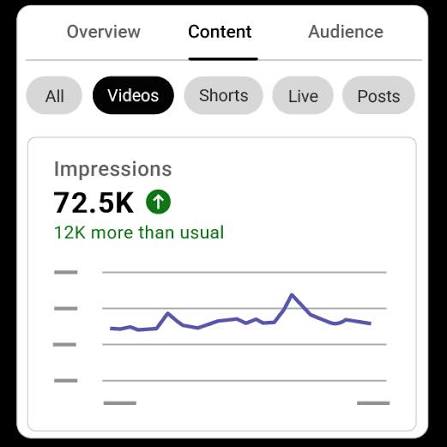
Every minute, thousands of videos compete for attention on the YouTube Home feed and mobile search results. Even a small jump in your Click-Through Rate (CTR)—say from 4% to 7%—can double or triple your total impressions and views without changing a single second of your video.
- Higher Click-Through Rate (CTR): AI layout suggestions highlight clear focal points and high-contrast color pairings that stop mobile scrollers.
- 10x Faster Production: Tasks like cutting out subjects, adding outer glows, and testing background variations drop from 45 minutes to under 5 minutes.
- Consistent Channel Branding: Saved Brand Kits ensure your fonts, colors, and framing stay recognizable across every upload.
- Pre-Publish CTR Scoring: Dedicated AI thumbnail evaluators spot cluttered text or low contrast before your video goes live.
5 Elements Every High-CTR YouTube Thumbnail Needs
Before opening any of the Best Free AI Thumbnail Makers in 2026, keep these five proven design principles in mind:
- One Clear Focal Subject: Feature one dominant face, product, or visual hook rather than crowding four or five competing objects into a tiny 1280 × 720 frame.
- High-Contrast Color Separation: Pair bright foreground elements (yellow, cyan, white, or warm orange) against deep, uncluttered backgrounds so your thumbnail pops in both Light Mode and Dark Mode.
- Expressive Human Emotion: Close-up faces showing genuine curiosity, surprise, or focus consistently outperform flat stock graphics.
- 3 to 4 Words Maximum: Never repeat your full video title inside the thumbnail. Use 2–4 bold words that spark curiosity and remain readable on a 6-inch phone screen.
- Safe Corner Margins: Keep important text and faces away from the bottom-right corner where YouTube displays the video timestamp badge.
Quick Comparison: 7 Best Free AI Thumbnail Makers in 2026
Compare the top platforms among the Best Free AI Thumbnail Makers in 2026 by primary strength, free plan limits, and paid upgrade pricing:
| AI Thumbnail Tool | Best For | Free Plan | Starting Paid Price | Rating |
|---|---|---|---|---|
| Canva AI | All-in-One Templates & Beginner Creators | Yes (Generous) | $15/month | 9.5/10 |
| Adobe Express AI | Pro Text Effects & Firefly Generative Fill | Yes | $9.99/month | 9.2/10 |
| Pikzels | YouTube-Specific AI Thumbnail Generation | Free Trial Credits | $14/month | 8.9/10 |
| vidIQ AI Thumbnail Maker | Title + Thumbnail Synergy & Channel Audits | Yes | $16.58/month | 8.8/10 |
| Thumbnail AI | Pre-Publish CTR Scoring & Heatmap Checks | Yes | $9/month | 8.6/10 |
| Fotor AI | One-Click Photo Enhancement & Cutouts | Yes | $8.99/month | 8.7/10 |
| ChatGPT Image Generation | Custom Concept Art & Visual Brainstorming | Yes (Limited) | $20/month | 8.8/10 |
7 Best Free AI Thumbnail Makers in 2026 (Detailed Reviews)
1. Canva AI — Best Overall Free AI Thumbnail Maker for Beginners
Canva AI remains the #1 choice among the Best Free AI Thumbnail Makers in 2026 because it blends thousands of pre-sized 1280 × 720 YouTube templates with Magic Studio AI tools. Even on the free tier, beginners can assemble clean, high-contrast thumbnails in minutes without learning complex layers.
- Key Features: Magic Design layout generator, Magic Media text-to-image, one-click Background Remover (Pro), glow/outline photo effects, and Brand Kit color presets.
- Pros & Cons: Fastest learning curve and huge YouTube template library; one-click background removal and unlimited Magic Studio credits require Canva Pro.
- Real-World Example: A tech reviewer drops a webcam portrait into a Canva YouTube template, applies a bright yellow outline glow, adds three bold words, and exports a crisp 1280 × 720 PNG in under four minutes.
- Pricing: Free tier available; Canva Pro starts at $15/month.
2. Adobe Express AI — Best for Bold Text Effects & Firefly Generative Fill
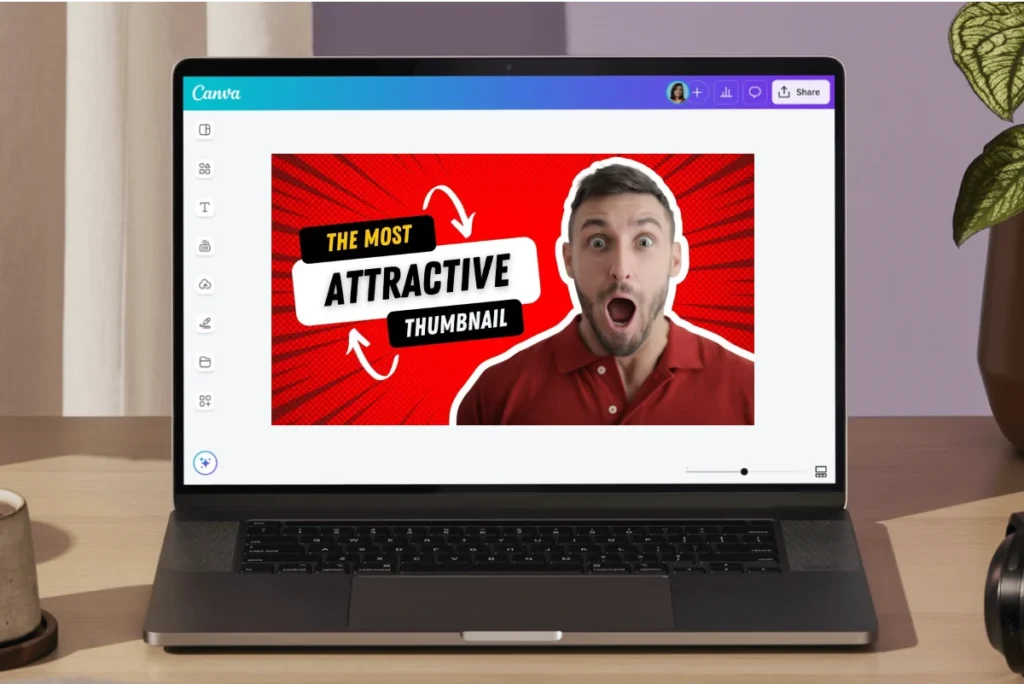
Adobe Express AI brings Adobe Firefly’s generative engine into a fast browser editor—making it ideal for creators who want studio-grade subject cutouts, dramatic 3D text textures, and seamless object replacement without opening Photoshop.
- Key Features: Free one-click Background Removal, Firefly Text-to-Image, Generative Fill to add or remove props, and punchy AI Text Effects.
- Pros & Cons: Best-in-class cutout accuracy and free background removal; slightly busier interface than Canva for first-time users.
- Pricing: Generous free plan; Adobe Express Premium starts at $9.99/month.
3. Pikzels — Best Dedicated AI YouTube Thumbnail Generator
Pikzels is engineered exclusively for YouTube creators rather than general graphic design. Simply enter your video title or describe your scene, and Pikzels generates dramatic, high-CTR thumbnail compositions tailored to YouTube viewing habits—complete with face-swap and recreate tools.
- Key Features: Prompt-to-thumbnail generator, Persona face consistency across uploads, inspiration recreation, and instant 16:9 YouTube framing.
- Pros & Cons: Purpose-built for viral YouTube aesthetics with minimal manual tweaking; free trial credits are limited compared to Canva.
- Pricing: Free trial credits available; paid plans start around $14/month.
4. vidIQ AI Thumbnail Maker — Best for Title & Thumbnail Packaging
vidIQ combines keyword research with an integrated AI Thumbnail Maker that reads your video title and topic context before generating matching thumbnail concepts—helping ensure your title and thumbnail tell one cohesive story rather than repeating the same words.
- Key Features: Context-aware thumbnail generation from video titles, keyword score insights, and competitor outlier tracking.
- Pricing: Free plan available; Boost plans start around $16.58/month.
5. Thumbnail AI — Best Free AI Thumbnail Analyzer & CTR Scorer
Thumbnail AI works as an objective pre-publish reviewer. Upload your finished design to see an AI attention heatmap, mobile legibility check, and predicted CTR score before you publish—saving you from cluttered layouts that fail on smartphones.
- Key Features: Attention heatmap simulation, contrast and text-density grading, and side-by-side A/B thumbnail comparisons.
- Pricing: Free analysis checks available; Pro plans start around $9/month.
6. Fotor AI — Best for Fast Photo Enhancement & One-Click Cutouts
Fotor AI excels when you start with a dim webcam or smartphone photo and need instant sharpening, lighting balance, background removal, and clean YouTube templates in a single browser tab.
- Key Features: One-tap AI Photo Enhancer, automatic background remover, AI art generator, and ready-made YouTube banner/thumbnail presets.
- Pricing: Free tier available; Fotor Pro starts at $8.99/month.
7. ChatGPT Image Generation — Best for Custom Illustrated Backgrounds
ChatGPT lets you generate custom 16:9 widescreen backgrounds, dramatic tech visuals, or clean comparison graphics from plain-English prompts—which you can then import into Canva AI or Adobe Express to layer your portrait and bold text on top. (Compare top AI assistants in our ChatGPT vs Gemini vs Claude 2026 Comparison Guide.)
- Key Features: Conversational image iteration, 16:9 widescreen aspect ratio control, and rapid visual concept brainstorming.
- Pricing: Free tier with daily limits; ChatGPT Plus starts at $20/month.
How Different Creators Use AI Thumbnail Makers in 2026
- YouTube & Short-Form Creators: Pair AI thumbnail tools with short-form video editors across YouTube, TikTok, and Instagram (explore our Best AI Tools for TikTok Creators 2026, Best AI Tools for Instagram Creators 2026, and Top 10 AI Tools for Content Creators in 2026 guides).
- Bloggers & SEO Publishers: Design high-contrast featured images and social share cards that boost click-through rates (see our Best AI Tools for Bloggers in 2026 and Best AI Tools for SEO 2026 guides).
- Students & Teachers: Create crisp presentation covers and educational video thumbnails at zero cost (check out our Best Free AI Tools for Students in 2026 and Best AI Tools for Teachers 2026 roundups).
- Small Businesses & Freelancers: Offer thumbnail design as a high-margin freelance service or promote product demos (discover monetization workflows in our How to Make Money with AI in 2026 and Best AI Tools for Small Business Owners guides).
5 Common Thumbnail Mistakes That Kill Your YouTube CTR
- Cramming Full Sentences Into the Image: More than 65% of YouTube views happen on mobile screens where small text becomes completely unreadable.
- Low Subject-to-Background Contrast: Dark clothing against a dark room disappears in YouTube Dark Mode unless you add rim lighting or a bright backdrop.
- Changing Fonts & Colors Every Video: Subscribers recognize your videos faster when your thumbnails share a consistent visual signature.
- Misleading Clickbait Visuals: Tricking viewers into clicking hurts average view duration, causing the YouTube algorithm to stop recommending your video.
- Skipping A/B Thumbnail Testing: Always test two or three thumbnail variations using YouTube Studio’s Test & Compare feature to let real viewer data pick the winner.
Frequently Asked Questions (FAQs)
1. What are the Best Free AI Thumbnail Makers in 2026?
Canva AI, Adobe Express AI, Pikzels, vidIQ AI Thumbnail Maker, Thumbnail AI, Fotor AI, and ChatGPT are the 7 best free AI thumbnail makers in 2026—with Canva AI and Adobe Express offering the strongest free design tools for beginners.
2. What is the official YouTube thumbnail size in 2026?
YouTube recommends 1280 × 720 pixels (minimum width 640 pixels) in a 16:9 widescreen aspect ratio, saved as JPG, PNG, or WebP under 2MB.
3. Which AI tool removes thumbnail backgrounds for free?
Adobe Express AI includes one-click subject background removal on its free plan, making it easy to isolate your portrait before adding outlines or custom backgrounds.
4. Do AI-generated thumbnails really increase YouTube views?
Yes—when paired with a strong video topic and honest title, clean high-contrast thumbnails created with AI tools help boost Click-Through Rate (CTR), which signals YouTube to recommend your video to a wider audience.
Final Verdict
The Best Free AI Thumbnail Makers in 2026 make professional YouTube packaging accessible to every creator—regardless of budget or graphic design experience. For most beginners, starting with Canva AI for layouts and Adobe Express AI for free subject cutouts delivers the fastest, cleanest results.
If you want YouTube-specific AI generation and pre-publish CTR scoring, pair Pikzels or vidIQ with Thumbnail AI to test every thumbnail before hitting publish.
Want Practical AI Tutorials & YouTube Growth Workflows?
Watch bite-sized AI tool demos, creator workflows, and productivity tips on our official AI With Bilal YouTube Channel—and explore our complete Best AI Tools 2026 Directory or our guide on best AI tools for social media content creation in 2026. Need custom AI workflows or content automation for your brand? Visit AI With Bilal to get started.
About the Author
Muhammad Bilal Malik is an educator, digital strategist, and the founder of AI With Bilal and the AI With Bilal Official YouTube Channel. He publishes practical, beginner-friendly guides on AI tools, YouTube growth, blogging, SEO, and no-code automation to help creators, students, and businesses save time and scale online in 2026.