
Creating great videos is no longer enough to grow on YouTube. In 2026, competition is higher than ever, and viewers make decisions in seconds. Before someone watches your video, they usually notice only two things: the title and the thumbnail.
That is why many creators are searching for the best free AI thumbnail makers in 2026. These tools help you create professional, eye-catching thumbnails without spending hours designing them manually. Whether you are a beginner YouTuber, content creator, blogger, educator, or marketer, AI-powered thumbnail generators can help increase clicks, improve engagement, and save valuable time.
The best free AI thumbnail makers in 2026 are helping creators save time while producing professional-quality thumbnails that attract more clicks. From YouTube beginners to experienced content creators, these AI-powered tools make thumbnail design faster, easier, and more effective than traditional design methods.
The good news is that you no longer need advanced graphic design skills to create high-converting thumbnails. Modern AI tools can generate layouts, suggest colors, remove backgrounds, improve image quality, and even create complete thumbnail concepts in minutes.
If you are building a complete YouTube workflow, you should also explore our guide on Best AI Tools for YouTubers in 2026, where we cover AI tools for scripting, editing, voiceovers, and content planning.
In this guide, we will compare the best AI thumbnail makers available today, explain their strengths and weaknesses, and help you choose the right option for your needs.
Table of Contents
- Why AI Thumbnails Matter in 2026
- What Makes a Great YouTube Thumbnail
- Benefits of Using AI Thumbnail Makers
- How We Evaluated These Tools
- Best Free AI Thumbnail Makers in 2026
- Canva AI
- Adobe Express AI
- Pikzels
- Thumbnail AI
- Fotor AI
- Comparison Table
- Real-World Use Cases
- Expert Tips to Improve CTR
- Pros and Cons
- Frequently Asked Questions
- Final Verdict
Why AI Thumbnails Matter in 2026
YouTube receives millions of new uploads every day. No matter how much effort you put into your content, viewers will never discover it if they do not click on it first.
A thumbnail acts like a digital billboard for your video. It creates the first impression and often determines whether a user clicks or scrolls past.
Think about your own browsing behavior. When you search YouTube, do you read every title carefully? Most people do not. They quickly scan thumbnails and stop only when something grabs their attention.
This is where AI thumbnail makers provide a major advantage.
Instead of spending hours experimenting with colors, layouts, fonts, and image placement, AI tools can analyze proven design patterns and help you create thumbnails that stand out in crowded search results.
Many successful creators now use AI as part of their content creation workflow. Alongside thumbnail generators, they often use tools featured in our Top AI Tools for Content Creators in 2026 guide to speed up production and improve consistency.
Why Thumbnail Quality Directly Impacts Growth
A strong thumbnail can:
- Increase click-through rate (CTR)
- Improve viewer engagement
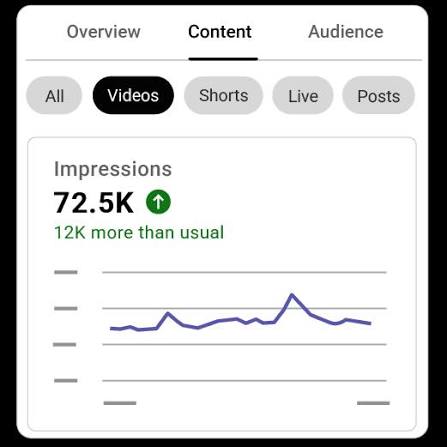
- Attract more impressions
- Strengthen channel branding
- Help videos perform better in recommendations
Even a small increase in CTR can result in thousands of additional views over time.
What Makes a Great YouTube Thumbnail?
Before choosing an AI thumbnail maker, it is important to understand what separates an average thumbnail from a high-performing one.
After analyzing successful YouTube channels across different niches, several common elements appear repeatedly.
1. Clear Subject Focus
The viewer should instantly understand what the thumbnail is about.
Avoid cluttered designs with too many objects competing for attention.
Instead, focus on one main subject.
2. High Contrast Colors
Bright colors and strong contrast help thumbnails stand out against YouTube’s white and dark backgrounds.
AI tools often recommend color combinations automatically to improve visibility.
3. Emotional Expressions
Human faces naturally attract attention.
Expressions such as surprise, excitement, curiosity, or shock often generate higher engagement than neutral images.
4. Minimal Text
One of the biggest mistakes creators make is adding too much text.
The best thumbnails usually contain only a few words.
Viewers should understand the message immediately.
5. Consistent Branding
Successful creators maintain a recognizable style.
Using similar fonts, colors, and layouts across your videos helps build trust and recognition.
Many AI thumbnail makers make branding easier by saving templates and design presets.
Benefits of Using AI Thumbnail Makers
AI-powered design tools offer far more than convenience.
They can improve both efficiency and performance.
Faster Thumbnail Creation
Traditional thumbnail design may take 30 minutes to several hours.
AI can reduce that process to just a few minutes.
For creators publishing multiple videos each week, this time savings becomes significant.
Better Design Quality
Modern AI systems can automatically improve:
- Image sharpness
- Lighting
- Background quality
- Subject positioning
- Color balance
This helps beginners create professional-looking designs without advanced skills.
Beginner Friendly
One of the biggest advantages is accessibility.
You do not need Photoshop experience or graphic design training.
Most AI thumbnail generators use simple drag-and-drop interfaces.
Cost Effective
Hiring a professional designer for every video can become expensive.
Many AI thumbnail makers offer free plans that provide enough functionality for small creators.
If you are looking for additional budget-friendly solutions, our guide to Best Free AI Tools 2026 for Students, Creators & Freelancers includes several useful platforms.
Improved Consistency
Consistency is important for channel growth.
AI tools make it easier to maintain a recognizable style across dozens or even hundreds of videos.
Better CTR Potential
While AI cannot guarantee views, it can help you create thumbnails that follow proven design principles.
Better thumbnails often lead to higher click-through rates, which can contribute to stronger overall performance.
How We Evaluated These AI Thumbnail Makers
Not all AI thumbnail generators are equal.
For this guide, we evaluated each tool based on:
Ease of Use
Can beginners create thumbnails without training?
AI Features
Does the platform provide meaningful AI assistance?
Template Quality
Are the available templates modern and professional?
YouTube Optimization
Does the tool specifically support YouTube creators?
Free Plan Availability
Can creators get real value without paying?
Overall Performance
How effective are the final thumbnail designs?
After testing multiple options, five tools consistently delivered the best results.
Let’s start with the most popular choice among creators worldwide.
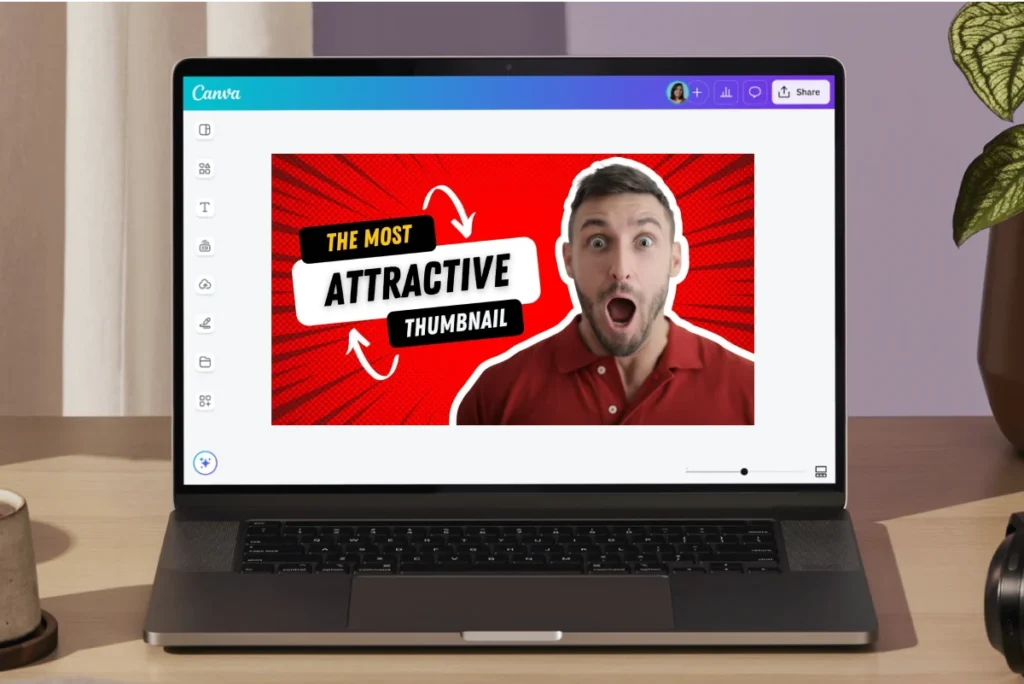
1. Canva AI
Canva AI remains one of the most popular design platforms available today.
In 2026, its AI capabilities have become even more powerful, making thumbnail creation faster and easier than ever before.
Whether you are creating gaming videos, educational content, tutorials, product reviews, or business content, Canva provides a beginner-friendly solution that delivers professional results.
Why Canva AI Stands Out
Unlike many dedicated thumbnail tools, Canva combines AI-powered design assistance with one of the largest template libraries available online.
Its AI features help creators generate ideas, improve layouts, remove backgrounds, and create unique visual elements without needing advanced design skills.
Key Features
- Magic Design
- AI Image Generator
- Background Remover
- AI Text Suggestions
- One-Click Resize
- Thousands of Thumbnail Templates
- Brand Kit Support
Real-World Example
When testing Canva AI for a YouTube tutorial video, I generated three thumbnail concepts in less than five minutes. Instead of starting from a blank canvas, Canva suggested layouts, fonts, and color combinations automatically. For beginners, this can dramatically reduce design time.
Best For
- Beginner YouTubers
- Bloggers
- Students
- Educators
- Small Business Owners
Pros
✔ Extremely easy to use
✔ Huge template library
✔ Strong free plan
✔ Excellent AI tools
✔ Works on desktop and mobile
Cons
✘ Some advanced features require Canva Pro
✘ AI credits may have limits on free plans
AIWithBilal Rating
⭐⭐⭐⭐⭐ 9.5/10
To explore its latest AI features, templates, and pricing plans, visit the official Canva website.
2. Adobe Express AI
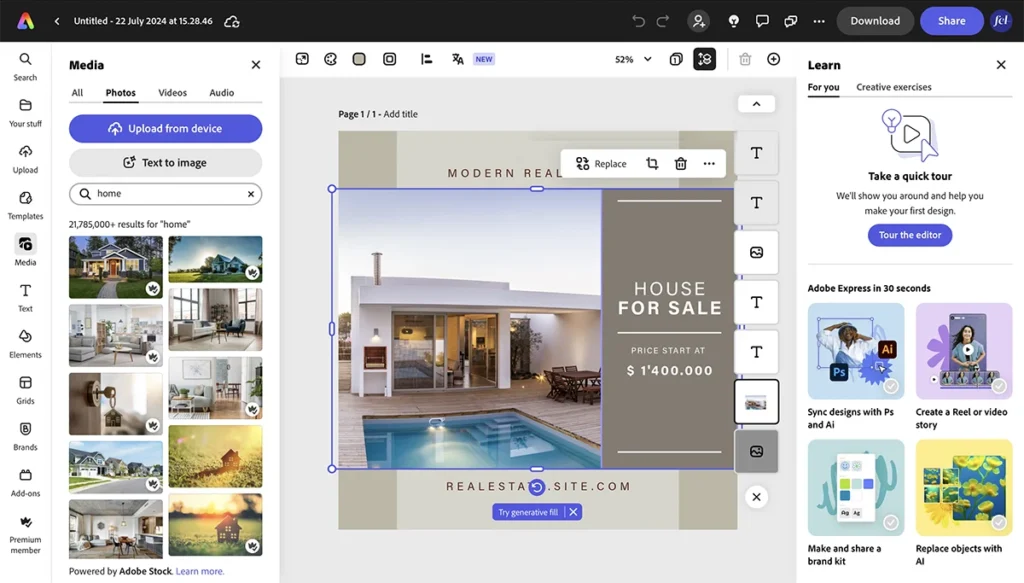
Adobe Express AI combines Adobe’s professional design experience with powerful artificial intelligence features.
While Canva focuses on simplicity, Adobe Express offers slightly more creative control, making it attractive for creators who want advanced editing options without learning Photoshop.
If you already use Adobe products, Adobe Express integrates smoothly into your workflow.
Key Features
- AI Image Generator
- Background Removal
- AI Text Effects
- Professional Templates
- Generative Fill
- Brand Management Tools
Why Creators Like Adobe Express
Adobe Express helps creators produce highly polished thumbnails while still keeping the process beginner friendly.
Its AI-powered editing tools are particularly useful for cleaning up images, replacing backgrounds, and improving visual quality.
You can learn more about Adobe Express AI tools and design features on the official Adobe Express website.
Best For
- Professional creators
- Marketing teams
- Businesses
- Experienced YouTubers
Pros
✔ Professional-quality designs
✔ Powerful AI editing tools
✔ Strong branding features
✔ Adobe ecosystem integration
Cons
✘ Learning curve for beginners
✘ Some premium features require a subscription
AIWithBilal Rating
⭐⭐⭐⭐⭐ 9.2/10
3. Pikzels
Unlike Canva and Adobe Express, Pikzels was built specifically for YouTube creators.
Instead of trying to serve every type of designer, Pikzels focuses heavily on helping creators generate high-performing thumbnails quickly.
This specialized approach makes it one of the most interesting AI thumbnail tools available in 2026.
Key Features
- Thumbnail-Focused AI Generation
- YouTube Templates
- AI Design Suggestions
- Fast Thumbnail Workflow
- CTR-Oriented Layouts
Why Pikzels Is Different
Many creators waste time adapting general design software for YouTube.
Pikzels removes much of that friction by focusing on one goal:
Creating thumbnails that attract clicks.
The platform’s templates and AI suggestions are designed specifically around YouTube content.
Best For
- YouTubers
- Gaming Channels
- Tutorial Channels
- Review Channels
Pros
✔ Built specifically for YouTube
✔ Fast thumbnail creation
✔ Modern designs
✔ AI-powered recommendations
Cons
✘ Smaller template library
✘ Limited free features
AIWithBilal Rating
⭐⭐⭐⭐ 8.8/10
4. Thumbnail AI
Thumbnail AI takes a different approach.
Instead of primarily creating thumbnails, it helps evaluate and optimize them.
Think of it as a thumbnail reviewer powered by artificial intelligence.
Key Features
- Thumbnail Scoring
- CTR Predictions
- Design Analysis
- Improvement Suggestions
- Thumbnail Testing
Why It Matters
Many creators struggle to determine whether a thumbnail is good before publishing.
Thumbnail AI provides feedback that can help identify weaknesses.
For example, it may suggest improving contrast, simplifying text, or increasing focus on the main subject.
Best For
- Data-driven creators
- Growth-focused YouTubers
- Marketing professionals
Pros
✔ Useful feedback
✔ Easy to understand
✔ Helps improve CTR
✔ Beginner friendly
Cons
✘ Limited design capabilities
✘ Often works best alongside Canva or Adobe Express
AIWithBilal Rating
⭐⭐⭐⭐ 8.5/10
5. Fotor AI
Fotor AI has become one of the most popular free design platforms for creators who want fast results.
Its AI-powered tools focus on simplifying design while still producing professional-looking visuals.
Key Features
- AI Thumbnail Generator
- AI Image Enhancer
- Background Remover
- AI Art Generator
- Thumbnail Templates
Why Fotor AI Is Popular
Many creators simply want a thumbnail that looks professional without spending an hour adjusting every detail.
Fotor AI is excellent for this type of workflow.
Best For
- Beginners
- Small creators
- Bloggers
- Social media marketers
Pros
✔ Beginner friendly
✔ Fast AI generation
✔ Free version available
✔ Strong image enhancement
Cons
✘ Fewer customization options
✘ Premium features require payment
AIWithBilal Rating
⭐⭐⭐⭐ 8.7/10
AI Thumbnail Makers Comparison Table
| Tool | Best For | Free Plan | Ease of Use | Overall Rating |
|---|---|---|---|---|
| Canva AI | Beginners | Yes | Very Easy | 9.5/10 |
| Adobe Express AI | Professionals | Yes | Easy | 9.2/10 |
| Pikzels | YouTubers | Limited | Easy | 8.8/10 |
| Thumbnail AI | Optimization | Yes | Very Easy | 8.5/10 |
| Fotor AI | Quick Designs | Yes | Easy | 8.7/10 |
Features Comparison Table
| Feature | Canva AI | Adobe Express | Pikzels | Thumbnail AI | Fotor AI |
|---|---|---|---|---|---|
| AI Generation | Yes | Yes | Yes | Limited | Yes |
| Templates | Excellent | Excellent | Good | Limited | Good |
| Background Removal | Yes | Yes | Yes | No | Yes |
| YouTube Focus | Good | Good | Excellent | Excellent | Good |
| AI Recommendations | Yes | Yes | Yes | Yes | Yes |
| Free Plan | Yes | Yes | Limited | Yes | Yes |
Which AI Thumbnail Maker Should You Choose?
The answer depends on your goals.
Choose Canva AI If:
- You are a beginner.
- You want maximum flexibility.
- You need thousands of templates.
- You create content regularly.
Choose Adobe Express AI If:
- You want professional-quality graphics.
- You already use Adobe products.
- You need advanced editing features.
Choose Pikzels If:
- You focus mainly on YouTube.
- You want a dedicated thumbnail solution.
- Speed is your priority.
Choose Thumbnail AI If:
- You care about optimization.
- You want thumbnail feedback before publishing.
Choose Fotor AI If:
- You need fast results.
- You prefer simplicity.
- You want a free AI design tool.
Common Mistakes When Creating YouTube Thumbnails
Even with powerful AI tools, many creators still make mistakes that reduce their click-through rates.
Avoiding these common errors can significantly improve your results.
Using Too Much Text
One of the biggest thumbnail mistakes is adding too many words.
Remember, most viewers are using mobile devices. If the text is difficult to read, people will simply scroll past your video.
Instead, keep your message short and clear.
Poor Contrast
A thumbnail that blends into YouTube’s interface will struggle to attract attention.
Use bright colors, strong contrast, and clear visual separation between elements.
Most AI thumbnail makers automatically suggest better color combinations.
Inconsistent Branding
Many channels use completely different thumbnail styles for every video.
This makes it difficult for viewers to recognize your content.
Create a consistent visual identity using similar fonts, colors, and layouts.
Misleading Clickbait
Clickbait may generate clicks in the short term, but it often damages trust.
Your thumbnail should create curiosity without misleading viewers.
The best creators balance attention-grabbing visuals with honest expectations.
Ignoring Mobile Users
More than half of YouTube traffic comes from mobile devices.
Always preview your thumbnails on smaller screens before publishing.
Expert Tips to Improve Thumbnail CTR
After studying successful YouTube channels across different niches, several strategies consistently stand out.
Focus on One Main Idea
Do not overload your thumbnail with multiple messages.
Viewers should immediately understand the core concept.
Use Faces Whenever Possible
Human faces naturally attract attention.
Expressions such as excitement, surprise, curiosity, or shock often increase engagement.
Create Curiosity
Give viewers a reason to click.
A thumbnail should encourage questions in the viewer’s mind.
For example:
Instead of showing everything, reveal only part of the story.
Use Strong Visual Hierarchy
Make the most important element the largest and most visible.
Everything else should support the main message.
Test Different Designs
Small thumbnail changes can produce surprisingly large differences in CTR.
Experiment with:
- Different colors
- Different facial expressions
- Different text styles
- Different layouts
Real-World Use Cases
AI thumbnail makers are useful far beyond YouTube.
YouTube Creators
The most obvious use case is YouTube content creation.
Creators can produce high-quality thumbnails quickly while maintaining consistency across their channel.
If you want to build a complete creator workflow, you should also explore our guide on Best AI Tools for YouTubers in 2026, where we cover AI tools for video creation, scripting, editing, and automation.
Bloggers
Bloggers can use AI thumbnail makers to create featured images that improve engagement and social sharing.
Many bloggers combine thumbnail tools with content-writing platforms featured in our Best AI Tools for Bloggers in 2026 guide.
Content Creators
Modern content creators often publish across multiple platforms, including YouTube, Instagram, TikTok, LinkedIn, and blogs.
Using AI-powered design tools can dramatically speed up content production.
You may also find our article on Top AI Tools for Content Creators in 2026 helpful for building a complete content creation workflow.
Teachers and Educators
Teachers creating educational videos can use AI thumbnails to make lessons more attractive and easier to discover.
For additional educational AI resources, check out our guide on 10 Best AI Tools for Teachers in 2026.
Students
Students running study channels, educational projects, or personal brands can also benefit from AI-powered design tools.
You may also be interested in our articles:
Small Business Owners
Many businesses now use YouTube as a marketing channel.
Professional thumbnails can increase visibility and improve brand perception.
For additional business-focused solutions, read our guide on Best AI Tools for Small Business Owners in 2026.
SEO Professionals
A strong thumbnail increases CTR, while SEO helps content rank higher in search results.
For creators focused on long-term growth, our article on Best AI Tools for SEO in 2026 provides additional strategies for improving visibility.
Pros and Cons of AI Thumbnail Makers
Pros
- Save significant time
- Beginner friendly
- Improve visual quality
- Help maintain branding
- Cost effective
- Faster content production
- Potentially improve CTR
- No advanced design skills required
Cons
- Some premium features require subscriptions
- AI-generated designs may need manual adjustments
- Overuse can reduce originality
- Advanced customization may be limited
- Quality varies between platforms
How AI Thumbnail Makers Save Time for Creators
Creating high-quality thumbnails manually can be time-consuming, especially for creators who publish content regularly. Designing from scratch often requires choosing colors, fonts, layouts, images, and visual effects, which can take anywhere from 30 minutes to several hours for a single thumbnail.
AI thumbnail makers simplify this process by automating many of these tasks. Instead of starting with a blank canvas, creators can use AI-generated templates, smart design suggestions, automatic background removal, and image enhancement tools to create professional thumbnails in minutes.
For example, a YouTuber uploading three videos per week could save several hours every month by using AI-powered design tools. This extra time can be invested in content planning, video editing, audience engagement, or channel growth strategies.
As AI technology continues to improve, thumbnail creation is becoming faster, easier, and more accessible for creators of all skill levels. The result is a more efficient workflow without sacrificing design quality or visual appeal.
Frequently Asked Questions
What is the best free AI thumbnail maker in 2026?
Canva AI remains one of the best overall choices because it combines ease of use, powerful AI features, and an extensive template library.
Are AI thumbnail makers really free?
Many platforms offer free plans, including Canva AI, Adobe Express AI, and Fotor AI. However, some advanced features may require paid upgrades.
Can AI generate YouTube thumbnails automatically?
Yes. Modern AI tools can generate layouts, backgrounds, images, and thumbnail concepts automatically.
Which AI thumbnail maker is best for beginners?
Canva AI is generally the easiest option for beginners due to its intuitive interface and extensive template collection.
Do better thumbnails increase views?
Better thumbnails can improve click-through rate, which may lead to more views and better overall performance.
Is Canva AI better than Adobe Express AI?
Both are excellent tools. Canva AI is often easier for beginners, while Adobe Express offers more advanced editing features.
What thumbnail size does YouTube recommend?
YouTube recommends 1280 × 720 pixels with a 16:9 aspect ratio.
Can AI remove image backgrounds?
Yes. Most modern AI thumbnail tools include automatic background removal features.
Is Pikzels worth using?
For YouTube-focused creators, Pikzels can be an excellent choice because it was built specifically for thumbnail creation.
Can small creators benefit from AI thumbnail makers?
Absolutely. AI tools allow creators to produce professional-looking thumbnails without hiring designers or purchasing expensive software.
Many of the AI-powered features used by modern design tools are inspired by recent advancements in artificial intelligence. If you want to learn more about the technology behind today’s AI tools, you can visit the official OpenAI website.
Final Verdict
The best AI thumbnail maker depends on your goals, experience level, and workflow.
For most creators, Canva AI remains the strongest overall option because it balances simplicity, flexibility, and powerful AI features.
If you want professional-level editing capabilities, Adobe Express AI is an excellent choice.
If your primary focus is YouTube growth, Pikzels deserves serious consideration because of its creator-first approach.
For optimization and CTR analysis, Thumbnail AI offers valuable insights.
Meanwhile, Fotor AI provides one of the easiest ways to create professional thumbnails quickly.
The good news is that most of these tools offer free plans, allowing you to test them before making a commitment.
As AI technology continues to improve, creators who embrace these tools will be able to produce higher-quality content faster and more efficiently than ever before.
If you are also looking for AI writing, productivity, and content creation tools, be sure to read our comparison guide ChatGPT vs Gemini vs Claude 2026 and our collection of Best Free AI Tools 2026 for Students, Creators & Freelancers.
Which AI Thumbnail Maker Will You Try?
Have you used Canva AI, Adobe Express AI, Pikzels, Thumbnail AI, or Fotor AI?
Share your experience in the comments and let other creators know which tool helped you create better thumbnails and improve your YouTube performance.
About the Author
Muhammad Bilal is the founder of AIWithBilal.com, where he reviews AI tools, productivity software, content creation platforms, and emerging artificial intelligence technologies. His goal is to help creators, students, freelancers, and businesses discover practical AI solutions that save time and improve results.