
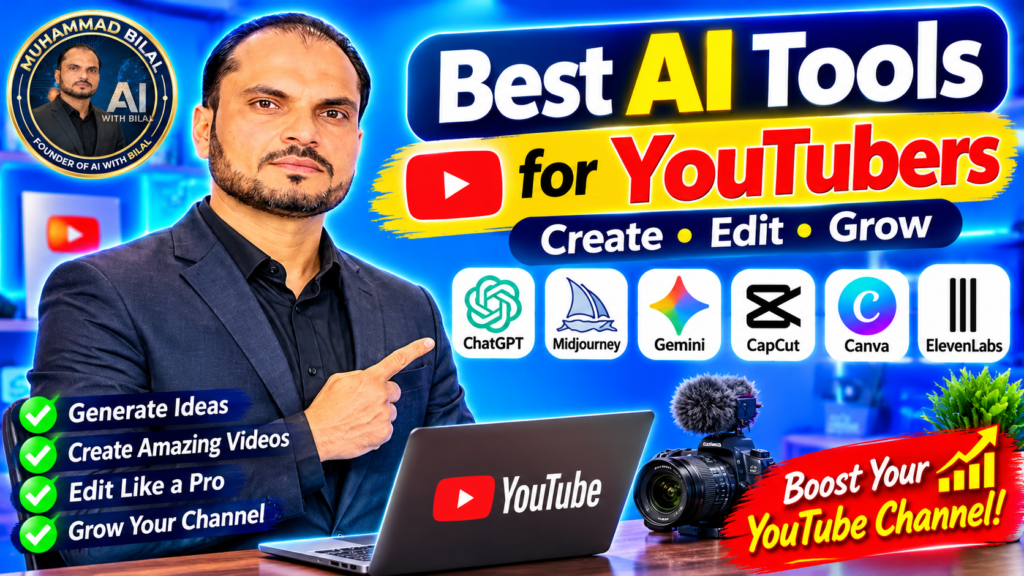
Growing a YouTube channel in 2026 is more challenging than ever. Millions of videos are uploaded every day, making it harder for creators to attract views and subscribers. Success now depends on more than just creating great videos—you also need eye-catching thumbnails, strong titles, better SEO, faster editing, and consistent publishing.
This is where AI tools can make a real difference. The Best AI Tools for YouTubers in 2026 help creators generate video ideas, write engaging scripts, design professional thumbnails, edit videos, optimize YouTube SEO, and plan content more efficiently.
In this complete guide, you’ll discover the best free and paid AI tools for YouTubers, compare their features, pros and cons, pricing, and learn which tools are best for your channel. For broader cross-platform growth, also explore our guides on Best AI Tools for Social Media Content Creation in 2026, Best Free AI Thumbnail Makers in 2026, Best AI Tools for Instagram Creators in 2026, and Best AI Tools for TikTok Creators in 2026.
Table of Contents
- Introduction
- Quick Comparison of the Best AI Tools for YouTubers
- Why YouTubers Need AI Tools in 2026
- How AI Helps YouTubers Get More Views and Save Time
- ChatGPT
- Claude AI
- Canva AI
- Descript
- VidIQ
- TubeBuddy
- Midjourney
- Leonardo AI
- Notion AI
- Grammarly
- How to Choose the Best AI Tool for Your YouTube Channel
- Free vs Paid AI Tools
- Common Mistakes YouTubers Make When Using AI
- Related Articles
- Frequently Asked Questions (FAQs)
- Which AI Tool Should You Start With?
- About the Author
Quick Comparison of the Best AI Tools for YouTubers
| Tool | Best For | Free Plan | Overall Rating |
|---|---|---|---|
| ChatGPT | Script Writing | Yes | ⭐⭐⭐⭐⭐ |
| Claude AI | Long Scripts | Yes | ⭐⭐⭐⭐☆ |
| Canva AI | Thumbnails | Yes | ⭐⭐⭐⭐⭐ |
| Descript | Video Editing | Limited | ⭐⭐⭐⭐☆ |
| VidIQ | YouTube SEO | Yes | ⭐⭐⭐⭐⭐ |
| TubeBuddy | Keyword Research | Yes | ⭐⭐⭐⭐☆ |
| Midjourney | AI Images | No | ⭐⭐⭐⭐☆ |
| Leonardo AI | Thumbnail Images | Yes | ⭐⭐⭐⭐☆ |
| Notion AI | Content Planning | Limited | ⭐⭐⭐⭐☆ |
| Grammarly | Grammar & Writing | Yes | ⭐⭐⭐⭐☆ |
Why YouTubers Need AI Tools in 2026
Content creation has evolved dramatically. Viewers now expect high-quality videos, consistent uploads, professional thumbnails, and engaging storytelling. Meeting these expectations manually can be difficult, especially for solo creators. AI tools help YouTubers automate repetitive tasks and reduce production time.
Benefits of AI Tools for YouTubers
- Faster content creation and scripting
- Improved video editing workflows
- Stronger YouTube SEO and higher CTR
- Consistent channel branding and thumbnails
Detailed Reviews: Best AI Tools for YouTubers in 2026
1. ChatGPT — Best for Video Idea Generation & Scripting
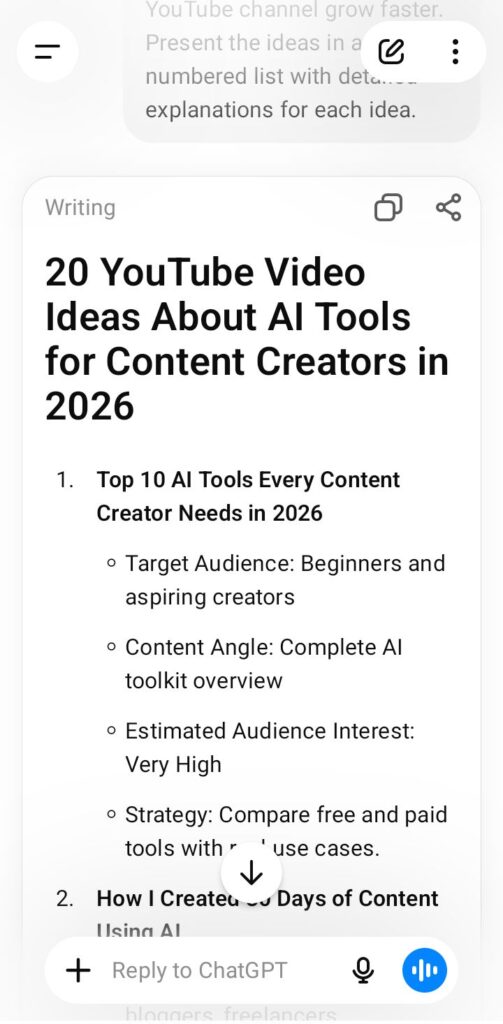
ChatGPT remains one of the most valuable AI tools for YouTubers in 2026. Creators use it daily to brainstorm viral angles, write engaging scripts, outline chapters, and generate high-converting video titles.
2. Claude AI — Best for Detailed, Research-Heavy Long-Form Scripts
Claude AI excels at processing large context windows and maintaining a natural, conversational tone—making it ideal for educational channels, documentary-style videos, and in-depth tech reviews.
3. Canva AI — Best for Thumbnails & Channel Branding
Canva AI combines drag-and-drop templates with Magic Studio tools so creators can remove backgrounds, generate matching graphics, and design click-worthy 1280 × 720 thumbnails in minutes.

4. Descript — Best for Text-Based Video Editing & Audio Cleanup
Descript lets you edit videos simply by editing text transcripts—automatically removing filler words, cutting dead air, and enhancing studio sound quality instantly.
5. VidIQ & TubeBuddy — Best for YouTube SEO & Keyword Research
VidIQ and TubeBuddy provide essential keyword metrics, competitor tracking, and optimization scorecards to help your videos rank higher in YouTube search and suggested feeds.
6. Midjourney & Leonardo AI — Best for Custom Thumbnail Artwork
Midjourney and Leonardo AI allow creators to generate striking, unique visual elements and background art that help thumbnails stand out in crowded feeds.
7. Notion AI & Grammarly — Best for Productivity & Polished Writing
Notion AI keeps your content calendars, sponsorships, and video schedules structured, while Grammarly ensures error-free descriptions and professional outreach emails.
Related Articles
Explore more creator and productivity guides across AI With Bilal:
- Top 10 AI Tools for Content Creators in 2026
- Best Free AI Thumbnail Makers in 2026
- Best AI Tools for Bloggers in 2026
- Best Free AI Tools for Students in 2026
- How to Make Money with AI in 2026
Frequently Asked Questions (FAQs)
What is the best AI tool for YouTubers in 2026?
ChatGPT and Claude AI are the best tools for scripting and ideas, while Canva AI and VidIQ lead in thumbnails and SEO.
Can AI automate my entire YouTube channel?
AI can handle scripting, editing assistance, and thumbnail generation, but audience connection and unique perspective require human creators.
Want Practical AI Tutorials & YouTube Growth Strategies?
Watch step-by-step video tool demos and creator workflows on our official AI With Bilal YouTube Channel—and explore our complete Best AI Tools 2026 Directory or our guide on how to make money with AI in 2026. Visit AI With Bilal to explore more expert guides.
About the Author
Muhammad Bilal Malik is an educator, digital strategist, and the founder of AI With Bilal and the AI With Bilal Official YouTube Channel. He publishes practical, beginner-friendly tutorials on artificial intelligence tools, YouTube growth, blogging, SEO, and no-code automation to help creators, students, and business owners save time and scale online in 2026.