

Freelancing is becoming more competitive every single year, and in 2026, artificial intelligence is no longer optional—it is your strongest unfair advantage. Whether you are a freelance writer, graphic designer, web developer, video editor, digital marketer, or virtual assistant, mastering the Best AI Tools for Freelancers in 2026 allows you to deliver projects faster, raise your quality standards, win higher-paying clients, and grow your monthly income without burning out.
Instead of losing hours every day to repetitive tasks—drafting proposals, outlining articles, resizing graphics, transcribing client calls, or organizing messy project boards—top freelancers use AI to automate routine work and focus on high-value strategy and client relationships.
In this comprehensive guide, we compare the Best AI Tools for Freelancers in 2026, complete with real-world freelance examples, free vs. paid pricing, pros and cons, and profession-specific tool stacks. If you want to explore an even wider software catalog across every industry, visit our 100+ Best AI Tools in 2026 Directory.
What Are AI Tools for Freelancers?
AI tools for freelancers are cloud-based software platforms powered by machine learning and natural language processing that speed up creative, technical, and administrative work. Rather than replacing human talent, these platforms act as an always-available digital team supporting writing, graphic design, coding, market research, client communication, and project tracking.
For example, a freelance content strategist can use Perplexity AI to gather cited statistics, Claude AI or ChatGPT to structure a long-form article, Grammarly to polish tone and clarity, and Canva AI to design custom visuals—completing a six-hour deliverable in under three hours.
- Write Winning Client Proposals & Emails: Draft tailored Fiverr, Upwork, and cold outreach pitches in seconds.
- Accelerate Content & Copywriting: Generate SEO outlines, product descriptions, landing page copy, and social media calendars.
- Design Brand Visuals Without Complex Software: Create thumbnails, slide decks, banners, and social graphics rapidly.
- Verify Research & Data: Summarize lengthy PDFs, reports, and live web sources with verifiable citations.
- Organize Multi-Client Workflows: Track deadlines, deliverables, and SOPs across multiple accounts effortlessly.
Why Every Freelancer Should Use AI in 2026
International clients expect fast turnaround times, clear English communication, and agency-level polish. Incorporating the Best AI Tools for Freelancers in 2026 into your daily routine delivers four immediate business benefits:
1. Save 10+ Hours Every Week on Repetitive Admin
Drafting routine status updates, formatting documents, proofreading drafts, and organizing notes eat up billable hours. AI automates these repetitive steps so you spend more time on paid client work.
2. Increase Monthly Income Without Working Longer Hours
When you cut project delivery time by 40% to 50%, you can comfortably serve two or three additional retainer clients each month—or launch new AI-powered services as outlined in our guide on how to make money with ChatGPT in 2026.
3. Deliver Higher-Quality, Error-Free Work
Modern AI writing, research, and design assistants help catch subtle grammar mistakes, uncover stronger angles, and produce cleaner visual deliverables that earn 5-star reviews and repeat contracts.
4. Stay Competitive in Global Marketplaces
Clients on Upwork, Fiverr, LinkedIn, and direct retainers increasingly favor freelancers who combine domain expertise with modern AI speed. Learning these tools now keeps your skills in high demand.
7 Best AI Tools for Freelancers in 2026 (Detailed Reviews)
The ideal software stack depends on your freelance niche and client deliverables. Below are the seven most reliable, high-ROI platforms among the Best AI Tools for Freelancers in 2026.
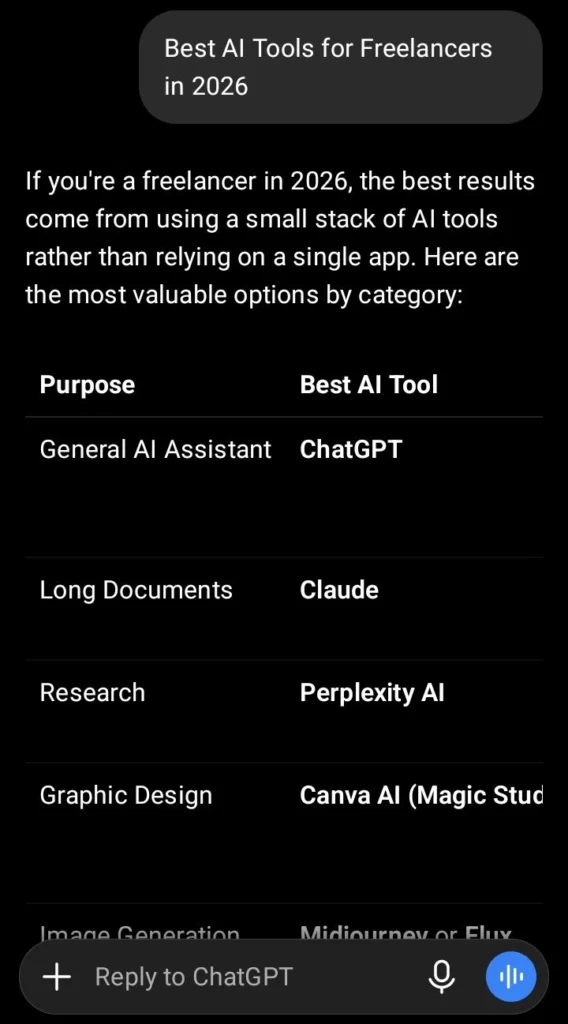
1. ChatGPT — Best All-in-One AI Assistant for Freelancers
ChatGPT remains the cornerstone of the Best AI Tools for Freelancers in 2026. Whether you are drafting blog outlines, writing Upwork proposals, analyzing client spreadsheets, debugging code, or brainstorming marketing angles, ChatGPT handles virtually any text or data task in seconds.
Using ChatGPT Projects and Custom GPTs, freelancers can store each client’s brand voice, target audience, and formatting rules in dedicated folders so every output stays consistent.
- Top Freelance Use Cases: Fiverr and Upwork proposals, SEO content outlines, client email replies, ad copy, spreadsheet analysis, and code debugging.
- Pros: Generous free plan, intuitive interface, supports dozens of languages, and adapts to any freelance niche.
- Cons: Can occasionally invent statistics or outdated details—always verify facts before delivering client work.
- Pricing: Free tier available; ChatGPT Plus at $20/month.
Real Freelance Example: A freelance copywriter receives an urgent order for a 2,000-word SaaS guide within 24 hours. They use ChatGPT to structure the outline, generate headline options, and draft initial sections—then add original industry examples and human editing to finish in half the usual time.
2. Claude AI — Best for Long-Form Writing & Document Analysis
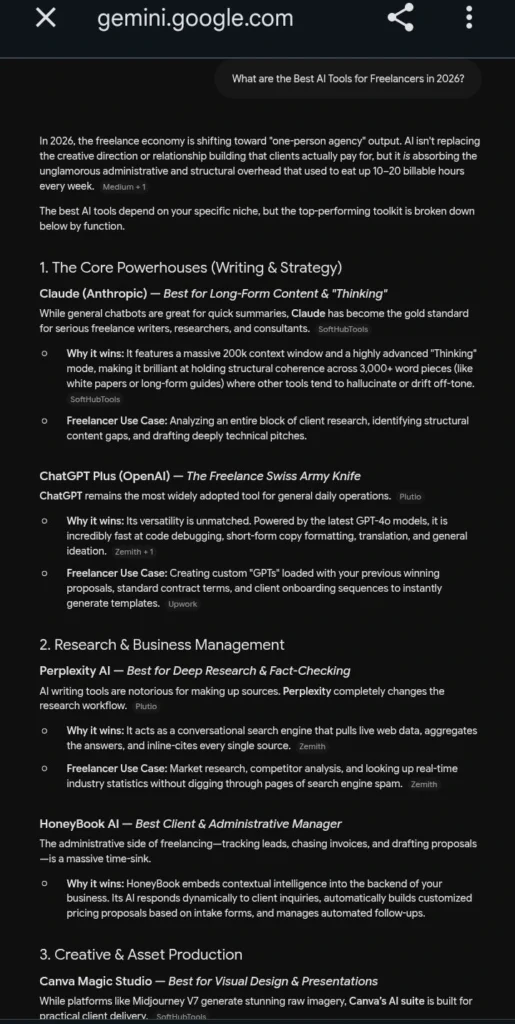
Claude AI is widely favored by freelance writers, editors, researchers, and developers for its natural, human-like prose and massive context window. Unlike tools that sound overly repetitive or formulaic, Claude excels at nuanced storytelling, whitepapers, and analyzing thick client PDFs.
- Top Freelance Use Cases: Long-form blog articles, eBooks, 50-page PDF contract/report summaries, technical documentation, and clean code generation.
- Pros: Superior natural writing tone, handles huge document uploads effortlessly, and features an interactive Artifacts workspace.
- Cons: Free tier has stricter message limits during peak hours compared to ChatGPT.
- Pricing: Free tier available; Claude Pro at $20/month.
Real Freelance Example: A freelance business consultant uploads a 40-page client audit report into Claude AI and extracts an executive summary with prioritized recommendations in three minutes instead of three hours. (See how Claude compares to ChatGPT and Gemini in our ChatGPT vs Gemini vs Claude 2026 Comparison Guide.)
3. Google Gemini — Best for Google Workspace & Virtual Assistants
Google Gemini is an essential pick among the Best AI Tools for Freelancers in 2026 if your daily client work runs on Gmail, Google Docs, Google Sheets, and Google Drive. Gemini connects directly with live Google Search and lets you export structured tables and drafts straight into Docs with one click.
- Top Freelance Use Cases: Drafting Gmail client responses, summarizing Drive folders, organizing Google Sheets trackers, and fast web research.
- Pros: Seamless Google ecosystem integration, fast responses, built-in fact-checking links, and generous free access.
- Cons: Deepest in-app Gmail/Docs sidebar features require a paid Google AI subscription.
- Pricing: Free with a Google account; Google AI Pro starts at $19.99/month.
Real Freelance Example: A virtual assistant managing three executive inboxes uses Gemini to summarize long email threads, draft polite scheduling replies, and log action items in Google Sheets—cutting daily admin time in half.
4. Canva AI — Best AI Design Platform for Non-Designers & Marketers
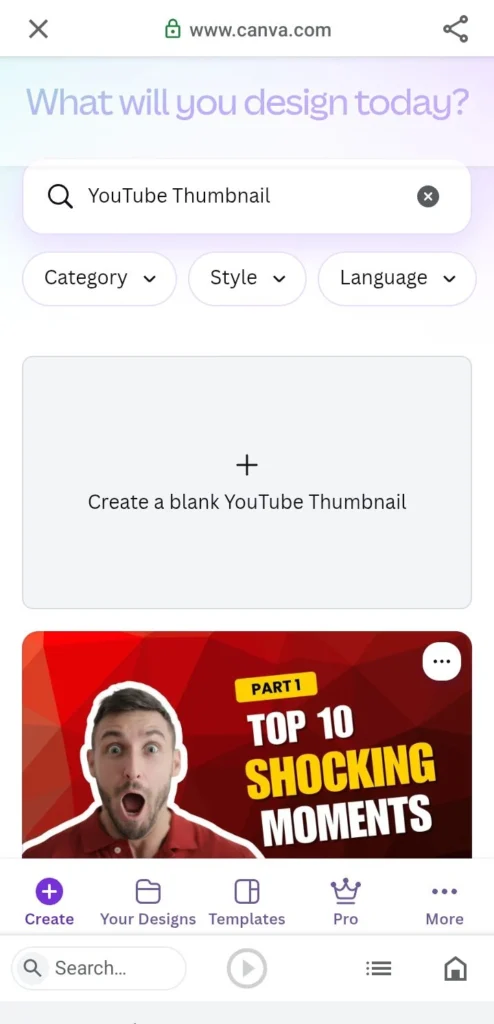
Canva AI empowers freelancers to deliver agency-grade visual assets without spending months mastering complex desktop software. Through Magic Studio, you can generate custom images, remove photo backgrounds in one click, build pitch decks from text outlines, and resize social posts across every platform.
- Top Freelance Use Cases: Social media graphics, YouTube thumbnails, client pitch decks, blog featured images, lead-magnet PDFs, and brand kits.
- Pros: Beginner-friendly drag-and-drop editor, massive template library, cloud collaboration links, and strong free plan.
- Cons: Magic Switch resizing, Brand Kits, and premium stock assets require Canva Pro.
- Pricing: Free tier available; Canva Pro starts at $15/month.
Real Freelance Example: A freelance social media manager designs an entire 30-day Instagram and LinkedIn visual calendar for a client in under two hours using Canva AI templates and Brand Kits. (Explore more visual and video tools in our Top 10 AI Tools for Content Creators in 2026 guide.)
5. Grammarly — Best AI Writing & Client Communication Editor
Grammarly protects your professional reputation across every email, proposal, Slack message, and client deliverable. Even one careless typo in a pitch can cost you a high-value contract, and Grammarly works silently in the background across your browser and desktop apps to keep your writing crisp, polite, and error-free.
- Top Freelance Use Cases: Proofreading Upwork/Fiverr proposals, polishing blog articles, adjusting email tone, and checking readability scores.
- Pros: Works everywhere (Chrome, Gmail, Google Docs, Word), instant real-time suggestions, and helpful free core version.
- Cons: Full-paragraph tone rewrites and plagiarism detection require Grammarly Pro.
- Pricing: Free core plan; Pro starts at $12/month (billed annually).
Real Freelance Example: Before sending a $1,500 project proposal, a freelancer runs it through Grammarly to tighten wordy sentences and ensure a confident, consultative tone—directly improving client response rates.
6. Notion AI — Best All-in-One Client & Project Workspace
Notion AI helps freelancers run their solo business like a structured agency. By combining client portals, editorial calendars, invoice trackers, SOP wikis, and AI note summarization in one workspace, Notion AI eliminates scattered sticky notes and lost project briefs.
- Top Freelance Use Cases: Client dashboards, content calendars, meeting note summaries, SOP documentation, and task tracking.
- Pros: Deeply customizable templates, shareable client portals, and AI Q&A across all your stored project notes.
- Cons: Slight initial learning curve; unlimited AI usage requires a paid add-on.
- Pricing: Free Notion plan with AI trial responses; Notion AI add-on starts at $10/member/month.
Real Freelance Example: A freelance project manager pastes raw Zoom call notes into a client’s Notion portal and uses Notion AI to auto-generate a clean task checklist with deadlines. (Discover more remote workflow tools in our 10 Best AI Productivity Tools for Remote Workers in 2026 guide.)
7. Perplexity AI — Best AI Research Engine with Verifiable Sources
Perplexity AI is a must-have research companion among the Best AI Tools for Freelancers in 2026. Unlike standard chatbots that sometimes guess facts, Perplexity searches the live internet and provides clickable source citations for every statistic, trend, and quote—making fact-checking effortless.
- Top Freelance Use Cases: Industry statistics for client articles, competitor market research, technical fact-checking, and prospect background research.
- Pros: Transparent source citations, zero ad clutter, Deep Research reports, and a generous free plan.
- Cons: Better suited for research and verification than creative long-form storytelling.
- Pricing: Free tier available; Perplexity Pro at $20/month.
Real Freelance Example: A freelance B2B writer uses Perplexity AI to gather 2026 market statistics with direct links to primary industry reports—delivering thoroughly cited articles that editors love.
Comparison Table: Best AI Tools for Freelancers in 2026
Compare the top Best AI Tools for Freelancers in 2026 side by side to choose the right tools for your budget and services:
| AI Tool | Best Freelance Use Case | Free Plan | Starting Paid Price | Ease of Use |
|---|---|---|---|---|
| ChatGPT | All-in-One Writing, Proposals & Ideas | Yes | $20/month | Excellent |
| Claude AI | Long-Form Articles & PDF Analysis | Yes | $20/month | Excellent |
| Google Gemini | Gmail, Google Docs & Sheets Workflows | Yes | $19.99/month | Excellent |
| Canva AI | Social Graphics, Slides & Thumbnails | Yes | $15/month | Excellent |
| Grammarly | Grammar, Clarity & Tone Polishing | Yes | $12/month | Excellent |
| Notion AI | Client Portals & Project Management | Limited Trial | $10/month | Very Good |
| Perplexity AI | Cited Market & Fact Research | Yes | $20/month | Very Good |
Best AI Tool Stacks by Freelance Profession
Instead of paying for seven subscriptions at once, build a lean, high-ROI stack tailored to your exact freelance service:
- For Freelance Writers & Bloggers: Perplexity AI (cited research) + Claude AI or ChatGPT (outlines and drafting) + Grammarly (final proofreading). Explore specialized content workflows in our Best AI Tools for Bloggers in 2026 guide.
- For SEO Specialists & Niche Site Builders: ChatGPT (keyword clustering and FAQs) + Perplexity AI (SERP fact-checking) + Rank Math AI. See our complete Best AI Tools for SEO 2026 breakdown.
- For Graphic Designers & Social Media Managers: Canva AI (fast templates and resizing) + ChatGPT (captions, hooks, and content calendars).
- For Virtual Assistants & Operations Managers: Google Gemini (Gmail and Docs speed) + Notion AI (client task boards) + Grammarly (error-free client communication).
- For Freelance Web Developers: ChatGPT + Claude AI Artifacts for rapid prototyping, code explanations, and documentation—see more developer tools in our Best AI Coding Tools in 2026 guide.
4 Common Mistakes Freelancers Make When Using AI
- Delivering Unedited AI Drafts: Raw AI output often feels repetitive or generic. Always add your own industry expertise, examples, and human editing before sending work to a client.
- Skipping Fact-Checking: AI tools can occasionally misquote statistics or pricing. Always verify numbers through primary sources or Perplexity AI citations.
- Pasting Confidential Client Data: Never upload sensitive passwords, private financial records, or NDA-protected files into public AI chats without enabling privacy/zero-retention settings.
- Subscribing to Too Many Tools at Once: Start with the free plans of two core tools, master them over two weeks, and only upgrade once a tool directly saves you billable hours. (See more zero-cost picks in our Best Free AI Tools 2026 guide.)
Frequently Asked Questions (FAQs)
1. What are the Best AI Tools for Freelancers in 2026?
ChatGPT, Claude AI, Google Gemini, Canva AI, Grammarly, Notion AI, and Perplexity AI are the seven best AI tools for freelancers in 2026. Together, they cover writing, research, graphic design, proofreading, and project management.
2. Are there free AI tools for beginner freelancers?
Yes. ChatGPT, Claude AI, Google Gemini, Canva AI, Grammarly, and Perplexity AI all offer generous free tiers that allow beginner freelancers to draft proposals, research topics, edit emails, and create graphics with zero upfront cost.
3. Will AI replace freelancers in 2026?
No. AI is replacing slow, manual workflows—not skilled freelancers. Clients still hire humans for strategic judgment, brand understanding, original creative direction, reliability, and clear communication.
4. How can freelancers use AI to earn more money?
Freelancers increase their income with AI by cutting turnaround times in half, serving more retainer clients per month, and offering high-demand services like AI-assisted SEO content, chatbot setup, and workflow automation.
Final Verdict
Choosing the Best AI Tools for Freelancers in 2026 is not about chasing every shiny new app—it is about building a reliable, repeatable workflow that saves you hours every week and elevates the quality of every client deliverable.
Start with two foundational tools—such as ChatGPT for brainstorming and drafting plus Grammarly for error-free client communication—and gradually expand your stack with Perplexity AI, Canva AI, and Notion AI as your freelance business grows.
Ready to Grow Your Freelance Income with AI?
Don’t let repetitive tasks cap your monthly earnings in 2026. Browse our complete 100+ Best AI Tools in 2026 Directory to discover vetted platforms across every niche—or learn step-by-step client monetization strategies in our guide on how to make money with ChatGPT in 2026. Need custom AI workflow automation or SEO-driven content systems for your business? Visit AI With Bilal to get started.
About the Author
Muhammad Bilal Malik is an educator, digital strategist, and the founder of AI With Bilal. He publishes practical, beginner-friendly guides on artificial intelligence tools, blogging, SEO, freelancing, and no-code workflow automation to help students, creators, and professionals save time and build successful digital careers in 2026.