
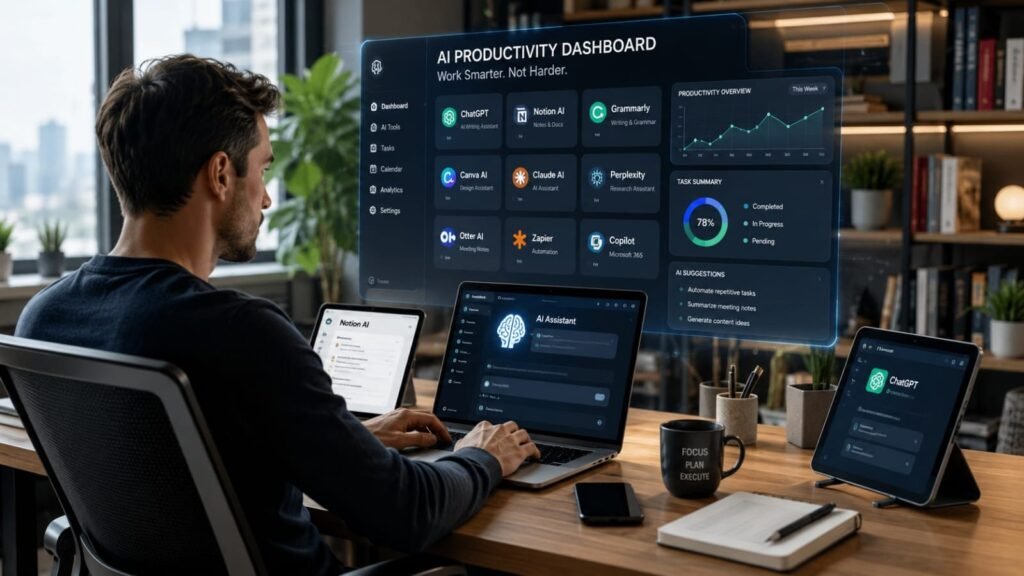
Remote work has permanently reshaped how modern companies, agencies, and independent professionals operate across the globe. Choosing the right AI productivity tools for remote workers in 2026 is no longer just a convenient upgrade—it is the defining factor between working ten exhausting hours a day and accomplishing your highest-priority deliverables in half the time.
Whether you are a freelance writer, digital marketer, virtual assistant, software developer, customer support lead, or distributed team manager, artificial intelligence can automate repetitive administrative tasks, transcribe and summarize lengthy video calls, draft client proposals, organize complex databases, and keep asynchronous projects moving smoothly across time zones.
In this comprehensive, hands-on guide, we review the 10 best AI productivity tools for remote workers in 2026, complete with real-world remote workflows, pricing breakdowns, pros and cons, a master comparison table, and role-based software stacks. If you want to explore an even broader catalog across every industry, visit our 100+ Best AI Tools in 2026 Directory.
Why AI Productivity Tools for Remote Workers Are Essential in 2026
Working from home or leading a distributed team comes with a unique set of daily friction points: constant Slack notifications, back-to-back Zoom meetings, overflowing email inboxes, context switching between a dozen browser tabs, and strict client deadlines. Modern AI productivity tools for remote workers directly eliminate these bottlenecks in four measurable ways:
- Eliminate Repetitive Administrative Busywork: AI meeting assistants and inbox copilots automatically record calls, extract action items, schedule follow-ups, and draft routine email replies in seconds.
- Accelerate Research, Writing, and Reporting: Instead of staring at a blank page, remote professionals turn rough bullet points into structured reports, standard operating procedures (SOPs), and client pitches up to 3x faster.
- Keep Asynchronous Teams Aligned Across Time Zones: AI workspace tools summarize long project threads and documentation so teammates in New York, London, and Lahore stay updated without scheduling extra status calls.
- Multiply Freelance and Remote Earning Power: By cutting delivery times in half, independent professionals can serve more clients without sacrificing quality—a strategy explored in detail in our guide on how to make money with ChatGPT in 2026.
10 Best AI Productivity Tools for Remote Workers in 2026
We evaluated dozens of platforms based on ease of use, integration depth with remote workspaces (Slack, Google Workspace, Microsoft 365, Notion), free plan generosity, and measurable time saved per week. Here are the top ten AI productivity tools for remote workers that deliver real daily value.
1. ChatGPT — Best All-in-One AI Work Assistant
ChatGPT remains the most versatile foundational platform among all AI productivity tools for remote workers in 2026. Rather than acting as a simple chatbot, it functions as a multi-modal workspace assistant capable of drafting client emails, outlining long-form articles, analyzing CSV spreadsheets, debugging code, and brainstorming marketing campaigns.
For remote workers who juggle varied tasks every day, ChatGPT’s Custom GPTs and Projects features allow you to save brand guidelines, tone-of-voice instructions, and recurring templates so you never repeat the same prompt twice.
- Key Features: Fast content drafting, Custom GPTs and dedicated Project folders, spreadsheet and PDF data analysis, web search, and real-time voice brainstorming.
- Remote Workflow Example: Upload a messy client discovery call transcript and ask ChatGPT to extract project deliverables, timeline milestones, and a formatted proposal email in under 30 seconds.
- Pricing: Generous Free tier; Plus plan at $20/month; Team plan starting at $25/user/month.
- Best For: Freelancers, digital marketers, bloggers, and solopreneurs (explore more specialized platforms in our Best AI Tools for Freelancers in 2026 guide).
2. Claude AI — Best for Long Documents, Research & Natural Writing
Claude AI has earned a loyal following among remote consultants, writers, and software engineers thanks to its massive context window, deep analytical reasoning, and remarkably natural, human-sounding prose. When you need to upload a 150-page PDF contract, financial report, or technical manual and extract accurate insights without stiff, robotic phrasing, Claude consistently delivers.
Its interactive Artifacts workspace also lets remote workers view, edit, and iterate on documents, code snippets, and structured tables side by side with the conversation.
- Key Features: Large-scale document summarization, nuanced business and editorial writing, interactive Artifacts window, and organized Project knowledge bases.
- Remote Workflow Example: Upload five competitor whitepapers into a Claude Project and ask it to build a structured gap analysis table highlighting market opportunities for your remote product team.
- Pricing: Free tier available; Pro plan at $20/month; Team plan at $25/user/month.
- Best For: Researchers, content strategists, consultants, and developers—see how it compares head-to-head in our ChatGPT vs Gemini vs Claude 2026 Comparison Guide.
3. Notion AI — Best for Team Wikis, Docs & Project Management
Notion AI embeds artificial intelligence directly inside your team’s central knowledge base, project trackers, and collaborative documents. Instead of constantly copying and pasting text between external AI tabs and your workspace, distributed teams can generate summaries, auto-fill database columns, and query their entire company wiki right where work happens.
For remote teams spread across multiple continents, Notion AI’s workspace Q&A acts like an instant teammate that knows where every SOP, onboarding checklist, and product roadmap lives.
- Key Features: Workspace-wide Q&A across docs and connected apps, automated meeting note summaries, AI database autofill, and instant tone/clarity rewriting.
- Remote Workflow Example: Paste raw weekly standup notes from six remote engineers into Notion and let Notion AI automatically populate status tags, blockers, and next-week action items in your sprint tracker.
- Pricing: Free Notion plan with complimentary AI trial responses; Notion AI add-on starts at $10/member/month.
- Best For: Remote startups, operations leads, content agencies, and project managers.
4. Grammarly — Best for Error-Free Remote Communication
In a remote workplace, nearly 90% of collaboration happens through written communication—emails, Slack messages, client proposals, documentation, and social posts. Grammarly serves as an always-on writing and communication assistant across every browser tab and desktop app, ensuring your messages are clear, polite, and free of embarrassing typos.
Beyond basic spellchecking, Grammarly’s generative AI features let you highlight a blunt, rushed Slack reply and instantly rewrite it to sound diplomatic, executive-ready, or concise.
- Key Features: Real-time grammar and punctuation correction, tone detection and rewriting, full-paragraph clarity improvements, and custom team style guides.
- Remote Workflow Example: Draft a quick technical explanation in Gmail or Slack and use Grammarly’s one-click tone adjustment to turn it into a polished, client-friendly status update.
- Pricing: Free core plan; Pro plan starts at $12/month (billed annually).
- Best For: Writers, virtual assistants, customer support specialists, and international remote teams.
5. Perplexity AI — Best for Fast, Cited Real-Time Web Research
Traditional search engines force you to open a dozen ad-heavy links just to verify a single statistic. Perplexity AI replaces endless tab-hopping with a conversational answer engine that searches the live web in real time and attaches clickable, verifiable source citations to every claim.
Among all AI productivity tools for remote workers, Perplexity is unmatched for market research, fact-checking, software comparisons, and preparing executive briefs on unfamiliar industries.
- Key Features: Live internet search with inline citations, Deep Research multi-step reports, Academic and Social search filters, and shareable Research Spaces.
- Remote Workflow Example: Before a client discovery call, run a Deep Research query on the prospect’s industry trends, recent funding news, and top competitors—complete with source links you can verify immediately.
- Pricing: Free plan with unlimited quick searches; Pro plan at $20/month.
- Best For: Market analysts, journalists, SEO writers, and consultants.
6. Canva AI — Best for Fast Presentations & Visual Assets
Remote professionals frequently need clean pitch decks, client reports, social media graphics, and blog visuals without waiting days for a dedicated graphic designer. Canva AI’s Magic Studio empowers non-designers to generate custom illustrations, resize layouts across platforms, remove photo backgrounds, and build branded slide decks in minutes.
Because Canva is 100% cloud-based with real-time commenting, distributed marketing and content teams can collaborate on visual deliverables asynchronously with zero software friction.
- Key Features: Magic Design slide deck generator, Magic Media text-to-image creator, one-click Background Remover, Magic Switch resizing, and shared Brand Kits.
- Remote Workflow Example: Paste a project outline into Canva Magic Design to generate an 8-slide client presentation, apply your brand colors in one click, and share a view-only link in under ten minutes.
- Pricing: Generous Free tier; Canva Pro starts at $15/month.
- Best For: Content creators, social media managers, educators, and small business teams.
7. Otter AI — Best for Live Meeting Transcription & Action Notes
Video call fatigue is one of the biggest productivity drains in remote work—especially when you are trying to actively participate in a discussion while frantically typing notes. Otter AI automatically joins your Zoom, Google Meet, or Microsoft Teams meetings to record audio, generate live speaker-labeled transcripts, and email a concise 30-second summary with action items right after the call.
If you miss a meeting due to a time-zone conflict, you can simply read Otter’s automated recap or ask Otter AI Chat specific questions about what was decided.
- Key Features: Live meeting transcription, automated action-item extraction, speaker identification, slide screen capture, and searchable transcript archives.
- Remote Workflow Example: Let Otter AI capture a 45-minute client kickoff call while you focus 100% on listening, then copy the generated action items straight into your task manager.
- Pricing: Free Basic plan (300 transcription minutes/month); Pro starts at $8.33/month (billed annually).
- Best For: Project managers, client consultants, executives, and distributed teams.
8. Fireflies AI — Best for Sales Calls & CRM Workflow Sync
Fireflies AI is another top-tier AI meeting assistant built specifically for revenue teams, recruiters, and agencies that want searchable call intelligence and automated CRM logging. After every sales discovery call or candidate interview, Fireflies transcribes the conversation, analyzes sentiment and talk-time ratios, and pushes structured notes into HubSpot, Salesforce, Slack, or Notion.
Its Smart Search feature allows remote managers to filter dozens of recorded calls by objections, pricing mentions, or feature requests in seconds.
- Key Features: Multi-platform video call recording, AI Super Summaries, conversation intelligence metrics, soundbite sharing, and native CRM integrations.
- Remote Workflow Example: Automatically log every remote sales call summary and follow-up task into HubSpot without manual data entry after hanging up.
- Pricing: Free tier available; Pro plan starts at $10/month (billed annually).
- Best For: Remote sales reps, recruitment agencies, and client-facing account managers.
9. Zapier AI — Best for No-Code Multi-App Workflow Automation
Zapier connects over 7,000 web applications and integrates AI directly into automated multi-step workflows without requiring a single line of code. For remote workers tired of manually moving data between Gmail, Slack, Google Sheets, Trello, and CRMs, Zapier acts as an invisible operations assistant running 24/7 in the background.
With Zapier’s AI workflow builder, you simply describe the automation you want in plain English, and it builds the triggers, AI summarization steps, and app actions automatically.
- Key Features: 7,000+ app integrations, AI-assisted workflow builder, automated lead qualification, custom AI chatbots, and conditional logic paths.
- Remote Workflow Example: When a new client fills out your website contact form, Zapier automatically uses AI to summarize their request, logs it in Google Sheets, and sends an instant alert to your Slack channel.
- Pricing: Free plan (100 tasks/month); Professional plans start at $19.99/month.
- Best For: Agency owners, operations managers, and freelancers—learn how autonomous workflows scale in our AI Agents in 2026 Guide.
10. Microsoft Copilot — Best for Microsoft 365 Corporate Teams
Microsoft Copilot embeds generative AI natively inside Word, Excel, PowerPoint, Outlook, and Microsoft Teams. For remote professionals working inside corporate or enterprise environments where Microsoft 365 is the daily standard, Copilot eliminates hours of manual spreadsheet formatting, email triage, and slide building.
You can ask Copilot in Excel to uncover revenue trends and build pivot charts, or ask Copilot in Teams to summarize a meeting you joined ten minutes late.
- Key Features: AI-powered Excel data analysis and formulas, Word document drafting from outlines, PowerPoint deck creation, and Outlook email thread summaries.
- Remote Workflow Example: Highlight a raw 500-row sales spreadsheet in Excel and ask Copilot to identify the top-performing regions and generate a visual chart for your weekly leadership call.
- Pricing: Free web version; Copilot Pro at $20/month or Microsoft 365 Business add-on at $30/user/month.
- Best For: Corporate remote employees, financial analysts, and operations teams (see more business solutions in our Best AI Tools for Small Business Owners in the USA guide).
Master Comparison Table: 10 Best AI Productivity Tools for Remote Workers
Use this side-by-side comparison to quickly match the right AI productivity tools for remote workers with your daily workflow and budget:
| Tool Name | Primary Strength | Free Tier | Starting Paid Plan | Ideal Remote Role |
|---|---|---|---|---|
| ChatGPT | All-in-One Writing, Data & Coding | Yes | $20/month | Freelancers & Marketers |
| Claude AI | Long PDFs & Nuanced Writing | Yes | $20/month | Consultants & Researchers |
| Notion AI | Team Wikis & Project Trackers | Limited Trial | $10/user/month | Remote Teams & PMs |
| Grammarly | Grammar, Clarity & Tone Polish | Yes | $12/month | Writers & Support Teams |
| Perplexity AI | Cited Real-Time Web Research | Yes | $20/month | Analysts & SEO Writers |
| Canva AI | Presentations & Brand Graphics | Yes | $15/month | Creators & Social Managers |
| Otter AI | Live Meeting Notes & Summaries | Yes (300 mins) | $8.33/month | Project Managers & Leads |
| Fireflies AI | Sales Call Intelligence & CRM Sync | Yes | $10/month | Sales & Recruiting Teams |
| Zapier AI | No-Code 7,000+ App Automation | Yes (100 tasks) | $19.99/month | Agencies & Operations |
| Microsoft Copilot | Word, Excel, Outlook & Teams AI | Yes (Web) | $20/month | Enterprise Office Teams |
Recommended AI Stacks by Remote Role
Instead of paying for ten overlapping subscriptions, most remote professionals get the highest return on investment by combining just two or three complementary AI productivity tools for remote workers:
- Freelance Writers & Content Creators Stack: Perplexity AI (for cited research) + Claude AI or ChatGPT (for outlining and drafting) + Grammarly (for final editorial polish) + Canva AI (for featured images).
- Remote Project Managers & Team Leads Stack: Notion AI (for central wikis and sprint boards) + Otter AI (for automatic meeting action items) + Zapier AI (for automated Slack status notifications).
- Remote Sales & Agency Owners Stack: Fireflies AI (for automatic CRM call logging) + ChatGPT (for custom client proposals) + Zapier AI (for instant lead routing).
How to Choose the Right AI Productivity Tools for Remote Workers
Before committing your budget to new software, follow this practical four-step checklist:
- Audit Your Weekly Time Drains: Track where you lose the most hours each week. If writing and email replies eat your mornings, start with ChatGPT and Grammarly. If back-to-back calls drain your afternoons, start with Otter AI.
- Test Free Plans Before Upgrading: Almost every platform on our list offers a capable free plan. You can also explore dozens of zero-cost options in our Best Free AI Tools 2026 guide before spending a dollar.
- Check Workspace Integrations: Prioritize AI productivity tools for remote workers that plug natively into Slack, Google Workspace, Notion, or Microsoft 365 so you avoid manual copy-pasting.
- Verify Data Privacy Policies: If you handle confidential client contracts or proprietary code, enable “zero data retention” or opt out of model training inside your account settings.
Frequently Asked Questions (FAQs)
1. What are the best free AI productivity tools for remote workers in 2026?
ChatGPT, Claude AI, Perplexity AI, Grammarly, Canva AI, and Otter AI all offer generous free tiers in 2026. Together, they cover daily writing, cited web research, graphic design, and up to 300 minutes of monthly meeting transcription at zero cost.
2. Which AI tool is best for taking automatic meeting notes on Zoom and Google Meet?
Otter AI and Fireflies AI are the top two choices. Otter AI is ideal for individuals and project teams who want clean live transcripts and instant action-item summaries, while Fireflies AI is best for sales teams needing automatic HubSpot or Salesforce CRM updates.
3. Should I choose ChatGPT or Claude AI for remote work?
Choose ChatGPT if you want an all-around Swiss Army knife with image generation, Custom GPTs, and spreadsheet analysis. Choose Claude AI if your daily work involves analyzing massive PDF reports, coding complex projects, or writing long-form content with a natural human tone.
4. Can AI productivity tools help freelancers earn more money working from home?
Yes. By automating research, first drafts, formatting, and meeting summaries, freelancers routinely save 8 to 15 hours per week—allowing them to take on additional retainer clients or launch profitable digital side projects.
Final Thoughts
The best AI productivity tools for remote workers in 2026 are not designed to replace human creativity, strategy, or empathy—they exist to clear away repetitive administrative clutter so you can focus on deep, meaningful work and enjoy real work-life balance.
If you are just starting your AI journey, pick two core assistants from our Top 5 AI Tools for Beginners in 2026 guide, build consistent daily workflows around them over the next two weeks, and gradually automate the rest of your remote routine.