

Imagine planning, writing, designing, and scheduling an entire week of high-performing social media posts in under one hour. In 2026, that workflow is no longer reserved for large agencies—it is the daily standard for solo creators and small businesses using the Best AI Tools for Social Media Content Creation in 2026.
Whether you publish short-form videos on TikTok, Instagram Reels, and YouTube Shorts, or share carousels and thought-leadership posts on LinkedIn, Facebook, Pinterest, and X, modern AI platforms eliminate hours of blank-screen writer’s block, repetitive editing, and manual scheduling.
In this complete guide, we review the 8 Best AI Tools for Social Media Content Creation in 2026—comparing features, free vs. paid pricing, strengths, limitations, and a step-by-step creator stack. To explore vetted AI platforms across every category, browse our Best AI Tools 2026 Directory.
What Are AI Social Media Content Creation Tools?
AI social media content creation tools are intelligent software platforms that assist creators and marketing teams across every stage of social publishing—from audience research and hook writing to graphic design, short-form video editing, hashtag generation, and cross-platform scheduling.
- Ideation & Hook Copywriting: Generate scroll-stopping hooks, captions, thread scripts, and 30-day content calendars in seconds.
- Branded Visual & Carousel Design: Turn plain text prompts into platform-sized Instagram carousels, Facebook graphics, Pinterest pins, and thumbnails.
- Short-Form Video & Auto-Captions: Cut long videos into vertical Reels/Shorts, add dynamic subtitles, and clean background audio automatically.
- Multi-Channel Scheduling & Analytics: Queue posts across multiple networks at peak engagement hours while tracking top-performing formats.
Quick Comparison: 8 Best AI Tools for Social Media Content Creation in 2026
Compare the Best AI Tools for Social Media Content Creation in 2026 side by side by primary strength, free plan availability, and starting paid pricing:
| AI Tool | Best Social Media Use Case | Free Plan | Starting Paid Price | Official Website |
|---|---|---|---|---|
| ChatGPT | Hooks, Captions, Scripts & Content Calendars | Yes | $20/month | openai.com |
| Canva AI | Carousels, Social Graphics & Thumbnails | Yes | $15/month | canva.com |
| CapCut AI | Reels, TikToks, Shorts & Auto Captions | Yes | $10/month | capcut.com |
| Google Gemini | Trend Research & Google Workspace Planning | Yes | $19.99/month | gemini.google.com |
| Claude AI | Natural Long-Form Scripts & Brand Voice | Yes | $20/month | claude.ai |
| Adobe Express AI | Ad Creatives, Text Effects & Brand Templates | Yes | $9.99/month | adobe.com/express |
| Buffer AI | Cross-Platform Scheduling & Caption Rewrites | Yes | $6/channel/month | buffer.com |
| Predis.ai | All-in-One Social Post & Carousel Generator | Yes | $27/month | predis.ai |
8 Best AI Tools for Social Media Content Creation in 2026 (Detailed Reviews)
1. ChatGPT — Best AI Tool for Social Captions, Hooks & Content Calendars
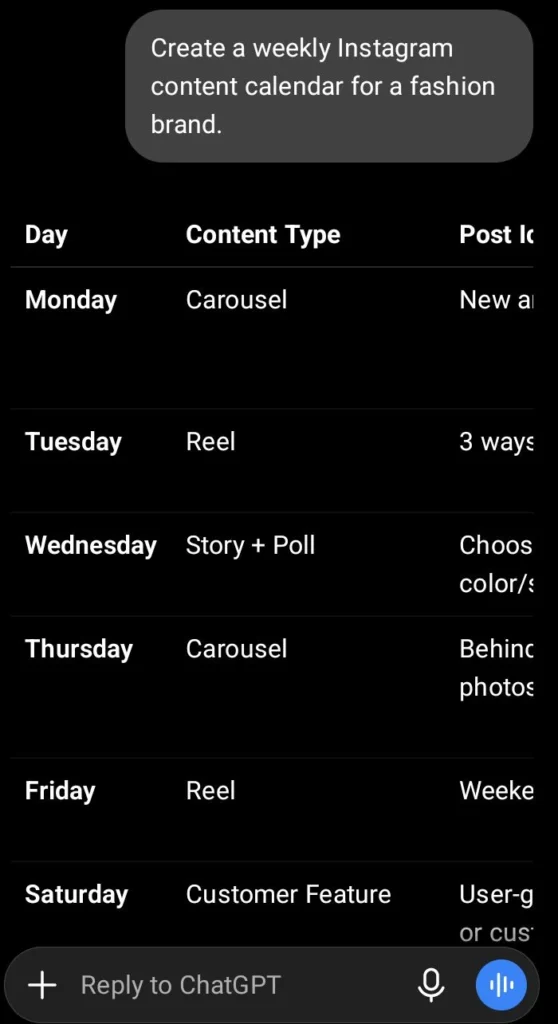
ChatGPT remains the core brainstorming and copywriting engine among the Best AI Tools for Social Media Content Creation in 2026. With structured prompting, you can turn a single blog post, product launch, or video topic into 30 days of Instagram captions, LinkedIn threads, YouTube Shorts scripts, and call-to-action variations in minutes.
- Key Features: Platform-specific caption generation, 30-day content calendar tables, short-form video hook scripts, blog-to-social repurposing, and Custom GPT brand voice assistants.
- Pros & Cons: Extremely fast and versatile across every social platform; however, outputs sound generic unless you specify your target audience, tone, and formatting constraints.
- Real-World Example: An e-commerce boutique owner asks ChatGPT to generate 25 Instagram product captions, 10 customer FAQ Story slides, and 5 promotional Reel scripts in a single 20-minute weekly batch session.
- Pricing: Free tier available; ChatGPT Plus starts at $20/month.
2. Canva AI — Best All-in-One Graphic Design & Carousel Platform
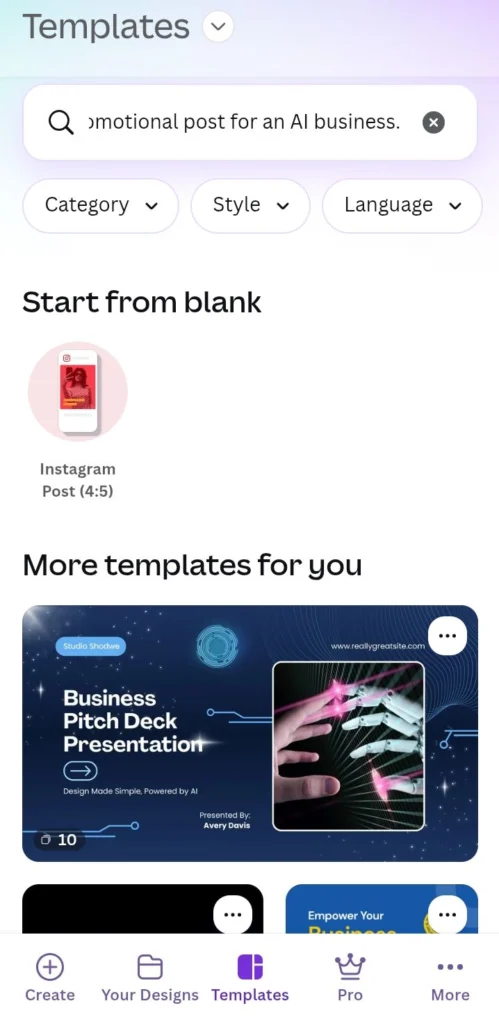
Canva AI combines an intuitive drag-and-drop editor with Magic Studio AI tools, making it effortless to create cohesive Instagram carousels, Facebook banners, Pinterest pins, and YouTube thumbnails without hiring a graphic designer.
- Key Features: Magic Design layout generator, one-click Background Remover, Magic Switch multi-platform resizing, Brand Kit color/font lock, and AI image generation. (Discover dedicated thumbnail tools in our Best Free AI Thumbnail Makers in 2026 guide.)
- Pros & Cons: Huge template library and beginner-friendly interface; some premium stock elements and Brand Kit features require Canva Pro.
- Real-World Example: A social media freelancer designs one educational Instagram carousel in Canva AI and uses Magic Switch to convert the same slides into a LinkedIn PDF carousel and Pinterest Story Pin in under two minutes.
- Pricing: Generous free plan; Canva Pro starts at $15/month.
3. CapCut AI — Best AI Video Editor for Reels, TikTok & YouTube Shorts
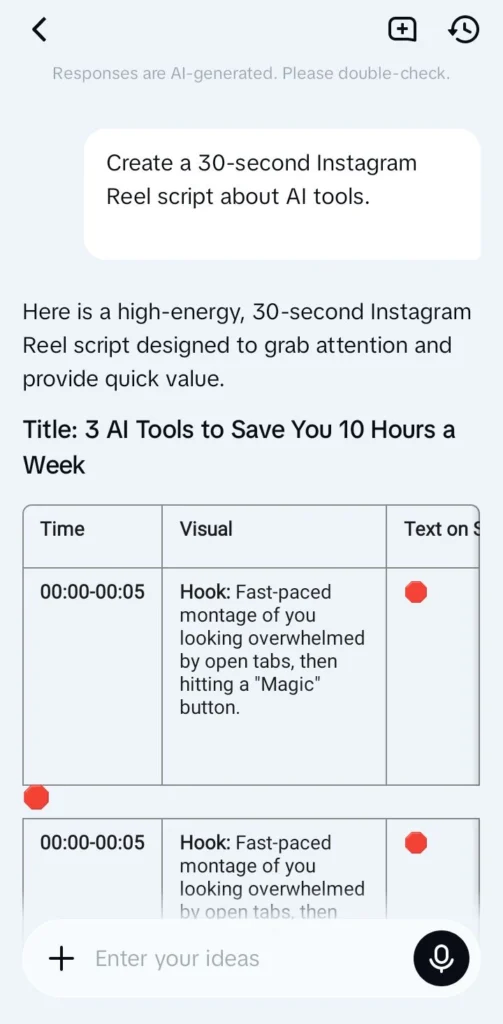
CapCut AI dominates vertical video production in 2026. Built specifically for TikTok, Instagram Reels, and YouTube Shorts creators, it automates the slowest parts of short-form editing—including animated word-by-word captions, silence removal, and smart reframing.
- Key Features: Auto-captions with trending styles, long-to-short clip extraction, AI background removal, vocal isolation, and cross-device cloud sync. (Explore platform-specific video stacks in our Best AI Tools for TikTok Creators 2026 and Best AI Tools for YouTubers in 2026 guides.)
- Pros & Cons: Fast mobile and desktop workflow with strong free tools; certain trending transitions and cloud export limits require CapCut Pro.
- Real-World Example: A tech educator records a 60-second vertical tip, imports it into CapCut AI, removes pauses automatically, and applies high-contrast animated captions in under five minutes.
- Pricing: Free tier available; CapCut Pro starts around $10/month.
4. Google Gemini — Best AI Tool for Trend Research & Campaign Planning
Google Gemini pairs real-time web knowledge with seamless Google Docs, Sheets, Drive, and YouTube integration—making it ideal for researching trending topics, summarizing industry news, and organizing multi-channel content calendars.
- Key Features: Live Google Search grounding, YouTube video summarization, instant export to Google Docs and Sheets, and multi-step Deep Research reports.
- Real-World Example: A marketing strategist uses Gemini to research top seasonal trends in their niche and exports a structured 4-week campaign calendar directly into Google Sheets for team review.
- Pricing: Free with any Google account; Google AI Pro starts at $19.99/month.
5. Claude AI — Best for Natural Long-Form Scripts & Storytelling
Claude AI is prized by writers, educators, and LinkedIn creators for its natural, conversational writing tone that avoids robotic clichés. It also handles long reference documents effortlessly when repurposing whitepapers or podcast transcripts into social threads.
- Key Features: Human-like storytelling tone, large context window for repurposing long transcripts, and custom Project instructions to lock in your brand voice. (Compare Claude, ChatGPT, and Gemini in our ChatGPT vs Gemini vs Claude 2026 Comparison Guide.)
- Real-World Example: A B2B consultant uploads a 15-page industry report into Claude and generates five insightful LinkedIn posts and a 60-second talking-head video script.
- Pricing: Free plan available; Claude Pro starts at $20/month.
6. Adobe Express AI — Best for Branded Ads, Text Effects & Promo Graphics
Adobe Express AI brings Adobe Firefly generative AI into a fast social template workspace—excelling at eye-catching typography effects, commercial-safe AI visuals, and polished promotional ads for Instagram and Facebook. (See more visual tools in our Best AI Tools for Instagram Creators 2026 guide.)
- Key Features: Firefly text-to-image, generative text effects, quick video/image resize actions, and built-in social scheduling.
- Pricing: Free tier available; Adobe Express Premium starts at $9.99/month.
7. Buffer AI — Best Lightweight AI Social Media Scheduler
Buffer AI pairs clean, distraction-free multi-platform scheduling with an integrated AI Assistant that rewrites posts specifically for LinkedIn, Instagram, Facebook, Threads, Pinterest, and X—turning one core idea into platform-tailored updates.
- Key Features: Platform-specific AI post rewriter, visual queue calendar, best-time-to-post insights, and engagement analytics.
- Pricing: Free for up to 3 social channels; Essentials starts at $6/channel/month.
8. Predis.ai — Best All-in-One AI Social Post & Carousel Generator
Predis.ai is purpose-built for social media marketers who want ready-to-publish creatives, captions, and hashtags generated together from a single product link or topic prompt, alongside competitor post analytics.
- Key Features: Single-prompt carousel and video post generator, e-commerce product-to-post automation, AI hashtag suggestions, and competitor content tracking.
- Pricing: Free plan with monthly AI credits; paid plans start around $27/month.
5-Step AI Workflow for Social Media Content Creation in 2026
Instead of paying for ten overlapping subscriptions, combine five focused tools from the Best AI Tools for Social Media Content Creation in 2026 into one repeatable weekly system:
- Research Trends & Audience Questions (Google Gemini): Gather fresh questions, seasonal angles, and competitor insights in 10 minutes.
- Batch-Write Hooks, Captions & Scripts (ChatGPT or Claude): Draft 7–14 posts and short-form video scripts in one focused writing session.
- Design Carousels & Cover Graphics (Canva AI or Adobe Express AI): Apply your Brand Kit colors and fonts across reusable templates.
- Edit Vertical Videos & Auto-Captions (CapCut AI): Produce crisp 30–45 second Reels, TikToks, and Shorts with clean subtitles.
- Schedule & Analyze Performance (Buffer AI): Queue your entire week in advance and double down on your highest-retention topics. (For more creator tools, explore our Top 10 AI Tools for Content Creators in 2026 and Best AI Tools for Bloggers in 2026 guides.)
Benefits and Limitations of AI Social Media Tools
- Key Benefits: Cuts weekly content production time by 60%–70%, helps solo creators stay consistent across multiple social channels, lowers design and video editing costs, and eliminates blank-page creative fatigue.
- Key Limitations: Generic AI captions without personal stories or real examples struggle to build audience trust, AI facts and trends must always be human-verified before posting, and over-reliance on identical templates can hurt reach on short-form feeds.
Frequently Asked Questions (FAQs)
1. What are the Best AI Tools for Social Media Content Creation in 2026?
ChatGPT, Canva AI, CapCut AI, Google Gemini, Claude AI, Adobe Express AI, Buffer AI, and Predis.ai are the 8 best AI tools for social media content creation in 2026—covering copywriting, graphic design, short-form video editing, and scheduling.
2. Can I create social media content with AI for free?
Yes. ChatGPT, Canva AI, CapCut AI, Google Gemini, and Buffer all offer generous free tiers that let beginners write captions, design graphics, edit Reels/Shorts, and schedule posts at zero monthly cost.
3. Which AI tool is best for Instagram and TikTok short videos?
CapCut AI is the best choice for editing Instagram Reels, TikToks, and YouTube Shorts with auto-captions, while Canva AI and ChatGPT handle carousel graphics and scroll-stopping hooks.
4. Does AI content hurt social media reach?
Original, helpful content created with AI assistance performs well when you add your own insights, real examples, and clean visuals—whereas repetitive, unedited copy-paste templates tend to see lower engagement.
Final Verdict
The Best AI Tools for Social Media Content Creation in 2026 make it possible for a single creator or small business owner to publish at the pace of a full media team—without sacrificing visual polish or brand personality.
Start free today with ChatGPT for hooks and captions, Canva AI for graphics and carousels, CapCut AI for short-form videos, and Buffer AI for consistent scheduling.
Want Step-by-Step AI Tutorials & Creator Workflows?
Watch practical AI tool tutorials, productivity hacks, and creator workflows on our official AI With Bilal YouTube Channel—and explore our complete Best AI Tools 2026 Directory or our guide on how to make money with AI in 2026. Need custom AI content workflows or automation for your brand? Visit AI With Bilal to get started.
About the Author
Muhammad Bilal Malik is an educator, digital strategist, and the founder of AI With Bilal and the AI With Bilal Official YouTube Channel. He shares practical, beginner-friendly guides on artificial intelligence tools, social media growth, SEO, and no-code automation to help creators, freelancers, and business owners save time and scale online in 2026.