
Introduction
Artificial intelligence is transforming software development faster than ever before. In 2026, developers are no longer writing every line of code manually. Modern AI coding tools can generate code, detect bugs, explain complex functions, automate testing, and even build complete applications from simple prompts.
Whether you are a beginner learning programming, a freelancer building client projects, or a professional software engineer working on large-scale applications, choosing the right AI coding assistant can significantly improve productivity and code quality.
The Best AI Coding Tools in 2026 help developers save time, reduce errors, learn new programming languages faster, and focus on solving real problems instead of repetitive coding tasks.
If you have already explored our guides on Best AI Tools for Bloggers in 2026 and ChatGPT vs Gemini vs Claude 2026 Comparison Guide, you already know how artificial intelligence is changing digital work. Coding is now experiencing the same transformation.
In this complete guide, you will learn:
- What AI coding tools are
- How AI is changing software development
- The best AI coding assistants in 2026
- Features, pricing, and use cases
- Which tools are best for beginners and professionals
- How to choose the right AI coding tool
What Are AI Coding Tools?
AI coding tools are software applications powered by artificial intelligence that assist developers throughout the programming process.
These tools can:
- Generate code from natural language prompts
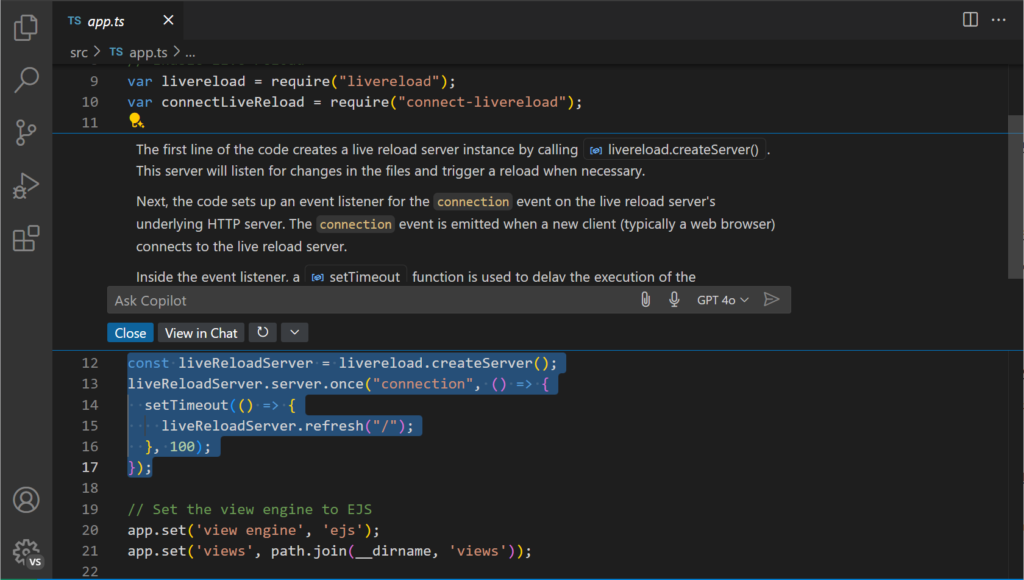
- Explain complex code snippets
- Detect bugs and errors
- Suggest improvements
- Create documentation
- Refactor existing code
- Generate test cases
- Improve productivity
Instead of searching through forums for hours, developers can now ask AI assistants for solutions instantly.
For example, a developer can type:
«”Create a responsive login page using HTML, CSS, and JavaScript.”»
An AI coding assistant can generate a working version within seconds.
Why AI Coding Is Growing Rapidly in 2026
The demand for software continues to increase across every industry.
Companies need:
- Websites
- Mobile apps
- SaaS platforms
- Automation tools
- AI-powered applications
At the same time, development teams face pressure to deliver projects faster.
AI coding assistants help solve this problem by reducing repetitive work and accelerating development cycles.
Faster Development
Tasks that once required several hours can now be completed in minutes.
Developers can focus on architecture, user experience, and business logic while AI handles repetitive coding.
Improved Learning
Students and beginner programmers can use AI to understand difficult concepts and learn programming languages faster.
This is one reason AI tools are becoming as popular among students as the tools discussed in our guide on Best Free AI Tools for Students in 2026.
Better Productivity
Professional developers can automate:
- Documentation
- Testing
- Refactoring
- Debugging
This allows teams to deliver projects more efficiently.
Reduced Errors
Many AI coding tools analyze code in real time and identify bugs before deployment.
This can significantly reduce maintenance costs.
How AI Coding Tools Work
Most AI coding assistants are trained on large datasets containing:
- Programming languages
- Documentation
- Open-source repositories
- Technical discussions
- Software engineering practices
When a developer enters a prompt, the AI predicts the most relevant code based on context and patterns learned during training.
Modern AI coding tools can understand:
- Python
- JavaScript
- TypeScript
- Java
- C++
- C#
- PHP
- Go
- Rust
- SQL
and many other programming languages.
Key Benefits of AI Coding Tools
1. Faster Code Generation
Developers can generate boilerplate code instantly.
Examples include:
- Authentication systems
- API integrations
- Database models
- User interfaces
2. Better Code Quality
Many AI tools suggest:
- Cleaner syntax
- Best practices
- Security improvements
- Performance optimization
3. Learning Support
Beginners can ask questions such as:
- Explain recursion
- Explain object-oriented programming
- Fix this Python error
- Show a JavaScript example
The AI provides immediate explanations.
4. Improved Team Productivity
Organizations use AI coding tools to accelerate development and reduce project timelines.
5. Enhanced Documentation
Writing documentation is often time-consuming.
AI can automatically generate:
- Function descriptions
- Technical documentation
- API references
- Code comments
This improves maintainability and collaboration.
Best AI Coding Tools in 2026
1. ChatGPT (Best Overall AI Coding Assistant)
Best For
Developers, freelancers, students, and programmers.
Key Features
- Code generation
- Debugging assistance
- Code explanations
- Documentation writing
- API integration help
- Multi-language support
Supported Languages
- Python
- JavaScript
- Java
- PHP
- SQL
- C++
- C#
- Go
- Rust
Real-World Example
A developer building a SaaS application can use ChatGPT to:
- Generate backend APIs
- Create database schemas
- Write frontend components
- Debug application errors
Why It Works
ChatGPT combines coding assistance, learning support, and productivity features into a single platform, making it one of the most versatile AI coding tools available in 2026.
2. GitHub Copilot (Best for Professional Developers)
Best For
Professional software engineers and development teams.
Key Features
- Real-time code completion
- IDE integration
- Context-aware suggestions
- Test generation
- Code refactoring
Real-World Example
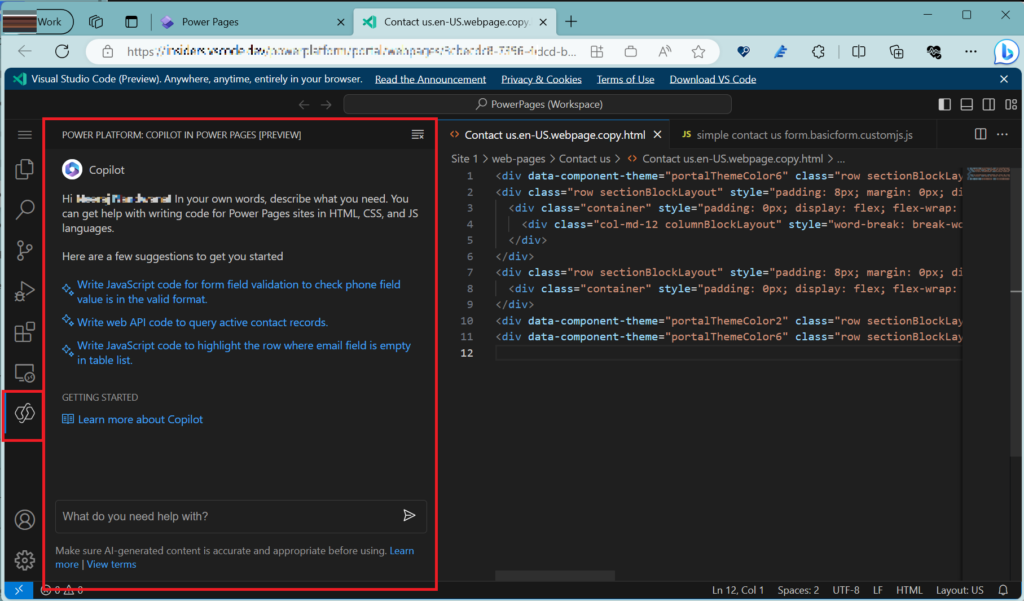
A developer working inside Visual Studio Code receives intelligent code suggestions while typing, significantly reducing development time.
Why It Works
GitHub Copilot integrates directly into development environments and provides highly relevant coding recommendations based on project context.
3. Claude Code (Best for Understanding Complex Code)
Best For
Professional developers, software engineers, and teams working on large codebases.
Key Features
- Advanced code reasoning
- Bug detection
- Code explanation
- Refactoring suggestions
- Long-context understanding
Real-World Example
Suppose a developer inherits a 5,000-line legacy application. Instead of manually reviewing every file, Claude can analyze large sections of code and explain how components interact.
Why It Works
Claude excels at understanding complex code structures and providing detailed explanations, making it valuable for maintaining enterprise applications.
Screenshot Suggestion
ALT Text: Claude AI explaining complex software code
Caption: Claude helping developers understand large codebases and software architecture.
4. Gemini Code Assist (Best for Google Ecosystem Users)
Best For
Developers working with Google Cloud and Google services.
Key Features
- Google Cloud integration
- AI code generation
- Debugging support
- Security recommendations
- Multi-language assistance
Real-World Example
A startup building cloud-based applications can use Gemini Code Assist to accelerate development while integrating Google Cloud services.
Why It Works
Gemini integrates naturally with Google’s development ecosystem and cloud infrastructure.
If you’re interested in comparing leading AI models before selecting a coding assistant, our ChatGPT vs Gemini vs Claude 2026 Comparison Guide provides a detailed breakdown of their strengths and weaknesses.
5. Cursor AI (Best AI-Powered Code Editor)
Best For
Developers who want AI integrated directly into their coding environment.
Key Features
- AI code generation
- Smart code editing
- Context-aware suggestions
- Codebase understanding
- Built-in AI chat
Real-World Example
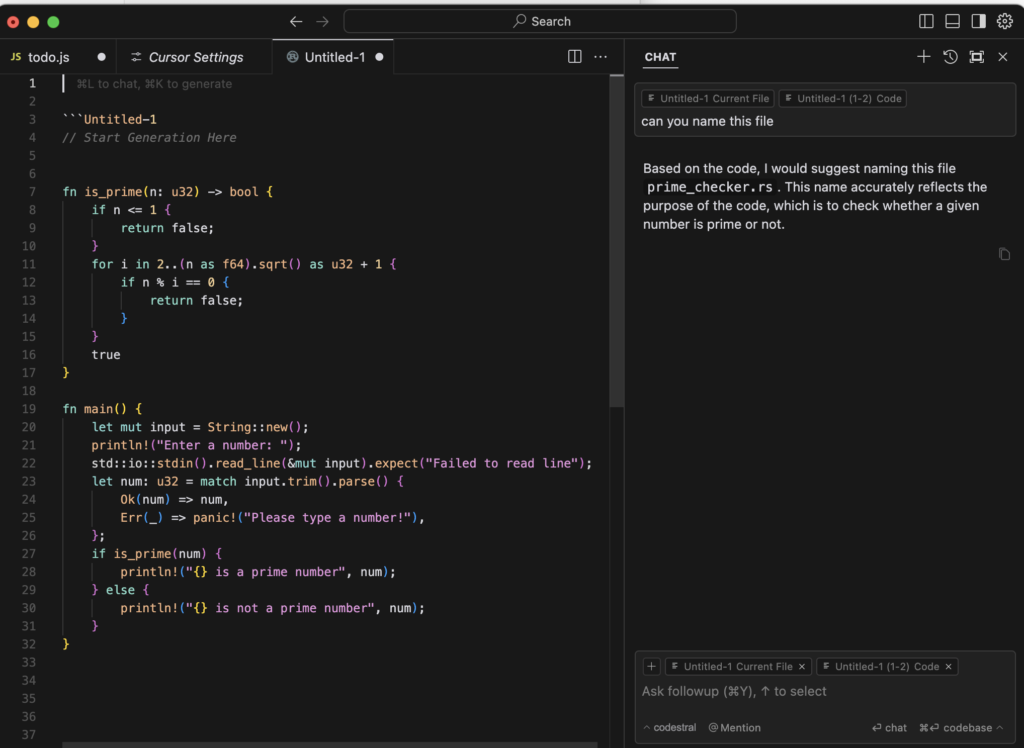
A web developer can highlight a block of code and simply ask Cursor:
«”Optimize this function for performance.”»
The AI instantly suggests improvements.
Why It Works
Cursor combines the familiarity of a code editor with advanced AI capabilities, reducing the need to switch between multiple tools.
6. Windsurf (Best Emerging AI Development Environment)
Best For
Developers seeking an AI-first coding experience.
Key Features
- Autonomous coding assistance
- Smart workflows
- Project-wide context
- AI-powered development
Real-World Example
A freelancer building a web application can use Windsurf to accelerate development by generating entire project components from simple instructions.
Why It Works
Windsurf focuses heavily on productivity and automation, helping developers complete projects faster.
7. Replit AI (Best for Beginners)
Best For
Students, beginners, and developers learning new programming languages.
Key Features
- Browser-based development
- AI coding assistant
- Instant deployment
- Collaborative coding
Real-World Example
A beginner learning Python can write code directly in Replit and receive AI-powered guidance without configuring a local development environment.
Why It Works
Replit removes technical barriers and allows new developers to start coding immediately.
This makes it a strong choice alongside several beginner-friendly platforms mentioned in our guide on Best Free AI Tools 2026 for Students, Creators & Freelancers.
8. Tabnine (Best Privacy-Focused AI Coding Tool)
Best For
Organizations with strict privacy and security requirements.
Key Features
- AI code completion
- Team customization
- Enterprise deployment
- Privacy controls
Real-World Example
A company handling sensitive client information can use Tabnine while maintaining tighter control over development workflows.
Why It Works
Tabnine prioritizes privacy and enterprise-grade security.
9. Amazon Q Developer (Best for AWS Developers)
Best For
Developers building applications on Amazon Web Services (AWS).
Key Features
- AWS integration
- Code generation
- Debugging support
- Cloud development assistance
Real-World Example
A cloud engineer can use Amazon Q Developer to simplify AWS infrastructure management and application deployment.
Why It Works
Amazon Q is specifically optimized for AWS environments.
10. Codeium (Best Free Alternative)
Best For
Developers seeking a free AI coding assistant.
Key Features
- Free code completion
- IDE integrations
- Multi-language support
- Fast suggestions
Real-World Example
A student developer can use Codeium to improve productivity without paying for premium subscriptions.
Why It Works
Codeium provides many features found in premium tools while remaining accessible to beginners.
Comparison Table
| Tool | Best For | Difficulty | AI Power |
| ChatGPT | All Developers | Easy | High |
| GitHub Copilot | Professionals | Medium | High |
| Claude Code | Complex Projects | Medium | High |
| Gemini Code Assist | Google Ecosystem | Medium | High |
| Cursor AI | AI-Powered Coding | Easy | High |
| Windsurf | Modern Development | Medium | High |
| Replit AI | Beginners | Easy | Medium |
| Tabnine | Privacy & Security | Medium | Medium |
| Amazon Q Developer | AWS Users | Medium | High |
| Codeium | Free Alternative | Easy | Medium |
How to Choose the Right AI Coding Tool
Choosing the best AI coding tools in 2026 depends on your experience level, project requirements, and preferred development environment.
Beginners
Recommended:
- ChatGPT
- Replit AI
- Codeium
Freelancers
Recommended:
- ChatGPT
- Cursor AI
- GitHub Copilot
Professional Developers
Recommended:
- GitHub Copilot
- Claude Code
- Cursor AI
Enterprise Teams
Recommended:
- Tabnine
- Claude Code
- Amazon Q Developer
Cloud Developers
Recommended:
- Gemini Code Assist
- Amazon Q Developer
Best AI Coding Workflow in 2026 (Step-by-Step)
Using multiple AI tools together often delivers better results than relying on a single platform.
Step 1: Plan the Project with ChatGPT
Use ChatGPT to:
- Create project requirements
- Generate feature lists
- Build software architecture
- Create development roadmaps
Step 2: Generate Code with GitHub Copilot or Cursor AI
Use AI-powered code suggestions to accelerate development.
Examples:
- Login systems
- APIs
- Database models
- Frontend components
Step 3: Debug with Claude or ChatGPT
When errors occur, AI can:
- Explain stack traces
- Identify bugs
- Suggest fixes
- Improve code quality
Step 4: Optimize and Refactor
Ask AI to:
- Improve performance
- Reduce code duplication
- Enhance readability
- Follow best practices
Step 5: Generate Documentation
Use AI to create:
- Function documentation
- API documentation
- Project setup guides
- User manuals
Step 6: Test Before Deployment
Generate:
- Unit tests
- Integration tests
- Edge-case scenarios
This workflow can significantly improve productivity and reduce development time.
How AI Coding Tools Improve Developer Productivity
AI coding assistants are transforming the software industry because they eliminate many repetitive tasks.
The best AI coding tools in 2026 are helping developers write code faster, reduce errors, and improve productivity across different programming languages.
For developers looking to improve productivity, the best AI coding tools in 2026 offer advanced code generation, debugging, and automation features.
Faster Development Cycles
Developers spend less time writing boilerplate code and more time building valuable features.
Better Learning Experience
Students can receive instant explanations without searching through multiple websites.
This is one reason AI tools continue to gain popularity among learners and creators, similar to the platforms discussed in our guide on Best Free AI Tools 2026 for Students, Creators & Freelancers.
Improved Problem Solving
AI can suggest multiple solutions to the same problem, helping developers explore different approaches.
Reduced Burnout
Automating repetitive coding tasks allows developers to focus on creative and strategic work.
Pros and Cons of AI Coding Tools
Pros
Faster Development
Projects can be completed significantly faster.
Improved Productivity
Developers spend more time solving problems and less time writing repetitive code.
Better Learning
AI tools help beginners understand programming concepts more easily.
Code Quality Improvements
AI often recommends cleaner and more efficient code structures.
Documentation Support
Generating documentation becomes much easier.
Cons
AI Can Make Mistakes
Generated code should always be reviewed before deployment.
Security Risks
Developers should carefully review AI-generated code for vulnerabilities.
Overdependence
Relying entirely on AI may slow long-term learning.
Subscription Costs
Some premium AI coding tools can be expensive for beginners.
Future of AI Coding in 2026 and Beyond
The future of software development is increasingly AI-assisted.
We are already seeing:
- AI-generated applications
- Autonomous debugging
- Intelligent testing
- AI-powered code reviews
- Natural language programming
Over the next few years, developers who learn how to work effectively with AI will likely gain a significant productivity advantage.
However, human expertise will remain essential for:
- Architecture decisions
- Security reviews
- Business logic
- Product strategy
- Creative problem-solving
AI is becoming a powerful development partner rather than a replacement for developers.
Frequently Asked Questions (FAQs)
What is the best AI coding tool in 2026?
ChatGPT, GitHub Copilot, Claude Code, and Cursor AI are among the most popular AI coding tools in 2026.
Is GitHub Copilot better than ChatGPT?
GitHub Copilot is excellent for real-time coding assistance inside IDEs, while ChatGPT is better for explanations, debugging, learning, and project planning.
Can beginners use AI coding tools?
Yes. Tools like ChatGPT, Replit AI, and Codeium are particularly beginner-friendly and help new programmers learn faster.
Are AI coding tools free?
Some platforms offer free plans, while advanced features often require paid subscriptions.
Will AI replace software developers?
No. AI can automate repetitive tasks, but human developers remain essential for decision-making, architecture, creativity, and problem-solving.
Real-World Example: Building a SaaS Application with AI
Imagine a freelance developer creating a SaaS platform.
A modern workflow might look like this:
- ChatGPT creates project architecture.
- GitHub Copilot generates code.
- Claude reviews and explains complex functions.
- Cursor AI optimizes workflows.
- AI generates documentation and test cases.
This approach can reduce development time significantly while maintaining quality.
For freelancers interested in turning technical skills into income, our guide on How to Make Money with AI in 2026 explores additional opportunities for monetizing AI-powered workflows.
External Resources for Learning AI Coding
The following resources can help developers improve coding skills and stay updated with AI development trends:
- OpenAI Documentation
- GitHub Copilot Documentation
- Google AI Developer Resources
- AWS Developer Documentation
- Microsoft Learn
- FreeCodeCamp
- MDN Web Docs
These platforms provide tutorials, documentation, and best practices for modern software development.
Related Articles
You may also find these guides helpful:
- ChatGPT vs Gemini vs Claude 2026 Comparison Guide
- Best AI Tools for Bloggers in 2026
- Top 10 AI Tools for Content Creators in 2026
- Best AI Tools for Small Business Owners in the USA
- Best Free AI Tools 2026 for Students, Creators & Freelancers
- How to Make Money with AI in 2026
- Best AI Side Hustles 2026
Many software teams are adopting the best AI coding tools in 2026 to streamline workflows and accelerate software delivery.
As artificial intelligence continues to evolve, the best AI coding tools in 2026 are becoming essential for modern software development workflows.
Final Verdict
The best AI coding tools in 2026 are helping developers build software faster, learn programming more efficiently, and improve overall productivity.
For most users, ChatGPT remains one of the most versatile AI coding assistants available. Professional developers may benefit from GitHub Copilot, Cursor AI, and Claude Code, while beginners often prefer Replit AI and Codeium.
The ideal approach is not choosing a single tool but combining multiple AI coding assistants into a complete development workflow.
As artificial intelligence continues to evolve, developers who learn to work alongside AI will be better positioned to build faster, solve problems more efficiently, and remain competitive in the modern software industry.