
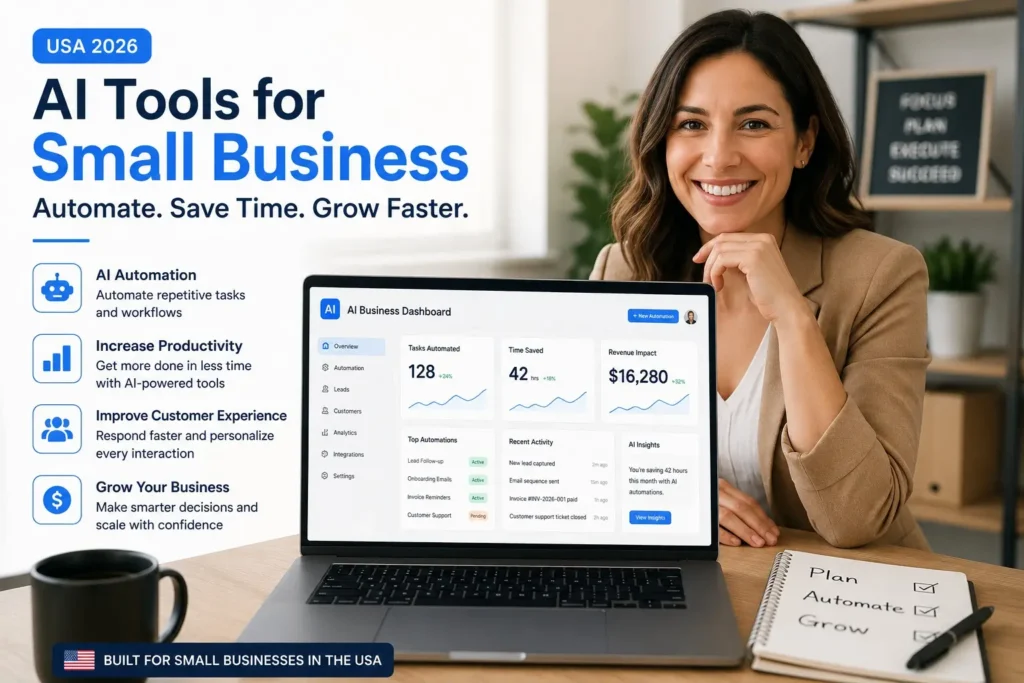
The best AI tools for small business owners can help entrepreneurs save time, reduce repetitive work, improve customer communication, and manage daily operations more efficiently in 2026. From drafting customer emails and creating marketing graphics to organizing projects and connecting business apps, AI tools are becoming practical resources for businesses of all sizes.
Small businesses across the United States often operate with limited staff, tight budgets, and many competing priorities. The right AI tools can help owners handle routine tasks more efficiently without immediately hiring additional employees or investing in complex software.
In this guide, we compare eight useful AI and business software tools for small businesses, explain their main features, discuss free and paid options, and share practical examples for marketing, customer support, and e-commerce. For more options, explore our 100+ Best AI Tools in 2026 Directory.
Note: Software features, plan names, availability, and prices can change. Always check each provider’s official website for the latest details before subscribing.
Why AI Tools Matter for Small Business Owners in 2026
Running a small business often means handling several responsibilities at once: marketing, sales, customer service, administration, and financial management. AI tools can support these activities by helping owners:
- Reduce repetitive work: Draft routine emails, summarize documents, prepare social media ideas, and organize information.
- Improve customer communication: Prepare faster responses to common questions and create consistent customer support templates.
- Work more efficiently: Organize projects, prepare meeting summaries, and document repeatable business processes.
- Support marketing activities: Create content ideas, draft promotional messages, and design visual materials.
- Manage business information: Organize customer records, track tasks, and review business data with appropriate software.
AI is not a replacement for good business judgment. Important customer messages, financial records, legal information, and business decisions should still be checked by a responsible person.
Quick Comparison: 8 AI Tools for Small Businesses
The following comparison highlights the main purpose of each platform and whether a free starting option is available. Some tools are AI assistants, while others are business software platforms with AI-powered features. Paid features and prices vary by plan, region, and billing period.
| AI Tool | Primary Business Function | Free Starting Option | Best For |
|---|---|---|---|
| ChatGPT | Writing, research, planning, and data assistance | Yes | Everyday business tasks |
| Canva AI | Graphics, presentations, and visual content | Yes | Branding and marketing |
| Grammarly | Writing improvement and communication | Yes | Emails and proposals |
| Notion | Notes, projects, and team documentation | Yes | Business organization |
| Jasper AI | Marketing content and brand messaging | Trial or paid options may be available | Content marketing teams |
| HubSpot | CRM, customer records, and marketing | Free CRM tools available | Lead and customer management |
| Zapier | Connecting apps and automating workflows | Yes | No-code automation |
| QuickBooks | Accounting, invoicing, and bookkeeping | Trial options may be available | Small business finances |
8 Best AI Tools for Small Business Owners in 2026: Detailed Reviews
Each tool below serves a different business purpose. The best choice depends on your workload, budget, technical comfort, and the tasks you want to improve.
1. ChatGPT — Best All-Around AI Assistant
ChatGPT is a flexible AI assistant that can help small business owners draft emails, brainstorm marketing ideas, prepare customer support responses, summarize documents, and organize business information.
For example, a local service business can use ChatGPT to prepare a professional response to a customer asking for a quotation. The owner can provide the actual service details and prices, review the draft, and send an accurate response.
- Key Uses: Email drafts, marketing ideas, customer response templates, business planning, and spreadsheet assistance.
- Advantages: Flexible, beginner-friendly, and useful across many industries.
- Limitations: Generated information can be incorrect or incomplete and needs human review.
- Pricing: A free option is available, with paid plans offering additional features. Check the official pricing page for current prices.
2. Canva AI — Best for Branding and Marketing Graphics
Canva helps small businesses create social media graphics, presentations, flyers, menus, and promotional materials without requiring advanced graphic design skills.
Its AI-powered features can assist with design ideas, image editing, content creation, and resizing designs. A local shop, for example, can prepare promotional graphics for Facebook and Instagram using a consistent visual style.
- Key Uses: Social media posts, business cards, flyers, presentations, and product graphics.
- Advantages: Easy-to-use editor, ready-made templates, and useful design tools.
- Limitations: Some premium templates, assets, and AI features require a paid plan.
- Pricing: Free and paid options are available. Check Canva’s official website for current plan details.
3. Grammarly — Best for Professional Business Communication
Grammarly helps users improve spelling, grammar, clarity, and tone. It can be useful when preparing customer emails, proposals, website copy, and other business documents.
For example, a consultant can draft a project update and use Grammarly to make the message clearer and more professional before sending it to a client.
- Key Uses: Client emails, proposals, website text, reports, and business documents.
- Advantages: Helpful writing suggestions and tools for improving clarity.
- Limitations: Advanced writing and AI features may require a paid plan.
- Pricing: A free option and paid plans are available. Confirm current pricing on the official website.
4. Notion — Best for Tasks, Notes, and Business Documentation
Notion provides a workspace for organizing notes, projects, tasks, and company documentation. Its AI features can help summarize information, improve written content, and work with business knowledge.
A small team can use Notion to maintain a customer onboarding checklist, record project requirements, and document the steps employees should follow when completing regular tasks.
- Key Uses: Project tracking, meeting notes, checklists, company documentation, and content calendars.
- Advantages: Flexible workspace that can bring scattered business information together.
- Limitations: New users may need time to organize their workspace, and some AI features depend on the plan.
- Pricing: Free and paid workspace plans are available. Check the official pricing page for AI feature details.
5. Jasper AI — Best for Marketing Content
Jasper AI is designed to support marketing teams with content creation and brand messaging. It can help prepare campaign ideas, advertising copy, product descriptions, and marketing drafts.
Businesses that publish content regularly may find it useful for developing consistent messages across different marketing channels. Every draft should still be checked for accuracy, originality, and brand suitability.
- Key Uses: Marketing drafts, campaign ideas, product descriptions, and brand messaging.
- Advantages: Marketing-focused features and tools for maintaining a consistent brand voice.
- Limitations: It may be more than a very small business needs if content production is occasional.
- Pricing: Paid plans and trial availability can change. Check Jasper’s official website for current terms.
6. HubSpot — Best for CRM and Customer Management
HubSpot offers customer relationship management (CRM), sales, marketing, and customer service tools. Its AI-powered features can assist with business communication and customer-facing workflows.
For example, a service company can record incoming leads, organize customer details, track sales conversations, and monitor which enquiries still need a response.
- Key Uses: Contact management, lead tracking, sales pipelines, and marketing activities.
- Advantages: Centralizes customer information and offers free CRM tools.
- Limitations: Advanced automation and marketing features may require higher-priced plans.
- Pricing: Free CRM tools and paid plans are available. Check the official pricing page for current limits and features.
7. Zapier — Best for No-Code Workflow Automation
Zapier connects different business applications so information can move between them automatically. It can help reduce repetitive copy-and-paste work and connect tools that a business already uses.
For example, when a customer submits a website enquiry form, a Zapier workflow could add the lead to a spreadsheet or CRM and notify the business owner. Depending on the connected apps and plan, additional steps may also be possible.
- Key Uses: Form-to-spreadsheet workflows, lead notifications, app connections, and routine task automation.
- Advantages: No-code automation and integrations with many popular business applications.
- Limitations: Usage limits and advanced multi-step workflows may require a paid plan. Automated actions should be tested before being used with real customers.
- Pricing: A free starting option and paid plans are available. Check the official pricing page for current task limits.
8. QuickBooks — Best for Small Business Accounting
QuickBooks is accounting software designed to help businesses manage invoices, expenses, financial records, and reports. Some plans and features include AI-assisted capabilities through Intuit’s products.
A small business owner can use accounting software to organize transactions, prepare invoices, review financial reports, and monitor business cash flow. Financial entries should always be checked for accuracy, and important tax decisions should be reviewed with a qualified professional.
- Key Uses: Invoicing, expense tracking, accounting records, and financial reports.
- Advantages: Useful accounting features and tools for organizing business finances.
- Limitations: Paid subscriptions may be required, and availability can differ by country.
- Pricing: Paid plans and trial offers may be available. Check the official website for current prices and regional availability.
A Practical Resource for Learning AI Business Automation
Choosing an automation tool is just the beginning. Small business owners can also benefit from learning how to organize emails, manage follow-ups, and build repeatable workflows for everyday business tasks.
One resource worth exploring is TalatWorkflows. Its educational collection covers practical business automation topics such as inbox management, marketing, back-office tasks, sales, and building more organized work routines.
I have personally read three books in this collection and found the information useful and practical. I am still reviewing the remaining materials, so I am not claiming to have read or tested every book, workflow, or feature. These are educational resources; you will still need to configure and test the tools for your own business.
1. The AI Automation Toolkit — Complete Toolkit
The Complete Toolkit is the core educational collection for people who want to learn practical ways to use AI and automation in everyday business activities.
Explore The AI Automation Toolkit — Complete Toolkit
2. The AI Automation Toolkit Pro
The Pro option is intended for people who want the Complete Toolkit together with additional implementation resources to help organize and apply what they learn.
Explore The AI Automation Toolkit Pro
Which option should you consider? The Complete Toolkit may be a suitable starting point if you want the core educational collection. The Pro option may be worth comparing if you also want its additional implementation resources. Review the current product descriptions, prices, and included materials before deciding.
Affiliate and Review Disclosure: I received complimentary access to review materials from TalatWorkflows. This section contains affiliate links, which means I may earn a commission if you purchase through either link, at no additional cost to you. My comments reflect my experience with the materials I have read so far. Please review the product details, pricing, and terms before purchasing.
Product contents, prices, and offers may change. These educational resources do not guarantee a particular amount of time saved, business growth, or income. A sensible way to begin is to choose one repetitive task, test a simple workflow with a small number of enquiries, and review the results before expanding it across the business.
A Practical Example: Using AI in a Small Business
Consider a small home-remodeling company in Austin, Texas, with a four-person team. The owner receives enquiries through the website, answers customer questions, prepares quotations, and posts project updates on social media.
The company could use ChatGPT to draft quotation emails, Canva to prepare before-and-after project graphics, and a CRM such as HubSpot to organize customer enquiries. A workflow automation tool could then help notify the owner when a new enquiry arrives.
This is an illustrative example, not a verified customer case study or a guaranteed result. The actual time saved will depend on the company’s workload, tools, setup, and how carefully the workflows are managed.
If you work with remote staff or contractors, explore more useful platforms in our 10 Best AI Productivity Tools for Remote Workers in 2026 guide.
How Small Businesses Can Use AI for Marketing and E-Commerce
AI for Local and Digital Marketing
- Social Media Planning: Use AI to brainstorm post ideas, prepare captions, and organize a content calendar for Facebook, Instagram, and LinkedIn.
- SEO Content Support: Research customer questions, create article outlines, and improve website content. Explore our Best AI Tools for SEO 2026 and Best AI Tools for Bloggers in 2026 guides.
- Video Content: Plan short videos, write scripts, and prepare captions for Reels and YouTube. See our Top 10 AI Tools for Content Creators in 2026 guide.
AI for E-Commerce and Online Stores
- Product Descriptions: Draft clear product descriptions that explain features and benefits. Check every specification before publishing.
- Customer Support: Prepare answers to common questions about shipping, sizing, returns, and product information.
- Follow-Up Messages: Create polite reminders for customers who requested information or abandoned a shopping cart, while respecting consent and applicable email rules.
- Sales Content: Prepare product announcements, promotional emails, and helpful buying guides. Explore our How to Make Money with ChatGPT in 2026 guide.
How to Choose AI Tools Without Overspending
Small businesses do not need to subscribe to every AI platform. A practical approach is to identify one problem, test a suitable tool, and measure whether it improves the work.
- Identify Your Biggest Time-Consuming Task: Decide whether you need help with customer emails, marketing graphics, lead tracking, or project organization.
- Start with Free Options: Test suitable free plans before paying for subscriptions. Our Best Free AI Tools 2026 guide can help you explore more options.
- Build One Simple Workflow: Connect a small number of tools to solve one repetitive task. Keep a human review step for important customer communication.
- Document the Process: Write down the steps, prompts, responsibilities, and checks so the workflow can be repeated consistently.
- Review the Results: After testing, compare the time spent, errors, customer experience, and subscription costs. Keep only tools that provide practical value.
Frequently Asked Questions
1. What are the best AI tools for small business owners in 2026?
ChatGPT, Canva, Grammarly, Notion, Jasper AI, HubSpot, Zapier, and QuickBooks are useful options for different business needs. The right choice depends on the task, budget, and features required.
2. Can a small business use AI tools for free?
Yes. Several platforms offer free starting plans or limited free features. However, usage limits, integrations, storage, and advanced AI features may require a paid subscription.
3. Do I need coding skills to use AI business tools?
No. Many AI assistants, design platforms, CRM systems, and no-code automation tools are designed for non-technical users. More advanced workflows may require additional setup and testing.
4. Which AI tool should a small business owner try first?
Start with the tool that solves your most immediate problem. ChatGPT can help with writing and planning, Canva can support visual marketing, and a CRM can help organize customer enquiries. You do not need to adopt all of them at once.
5. Can AI automate customer enquiries and follow-ups?
Yes. Depending on the tools and integrations available, a business can capture an enquiry, organize the customer’s information, prepare a response, and schedule a follow-up. Important messages should be reviewed, and customer data should be handled responsibly.
Final Verdict: Start Small and Choose the Right AI Tools
The best AI tools for small business owners are not necessarily the most expensive or the most advanced. They are the tools that solve real business problems, fit the available budget, and make everyday work more manageable.
Start with one useful tool, test it on a real business task, and measure the results. You can then add workflow automation, customer management, or specialized marketing software as your needs grow.
Ready to Improve Your Small Business with AI?
Explore our 100+ Best AI Tools in 2026 Directory to discover more platforms for business, marketing, productivity, and automation. You can also learn practical ideas in our guide on how to make money with ChatGPT in 2026.
Need help with AI chatbots, workflow automation, or SEO-driven growth systems? Visit AI With Bilal to explore our services and resources.
About the Author
Muhammad Bilal Malik is an educator, digital strategist, and founder of AI With Bilal. He shares practical information about artificial intelligence tools, no-code workflow automation, and SEO strategies to help small businesses, freelancers, and creators understand and use digital tools more effectively.